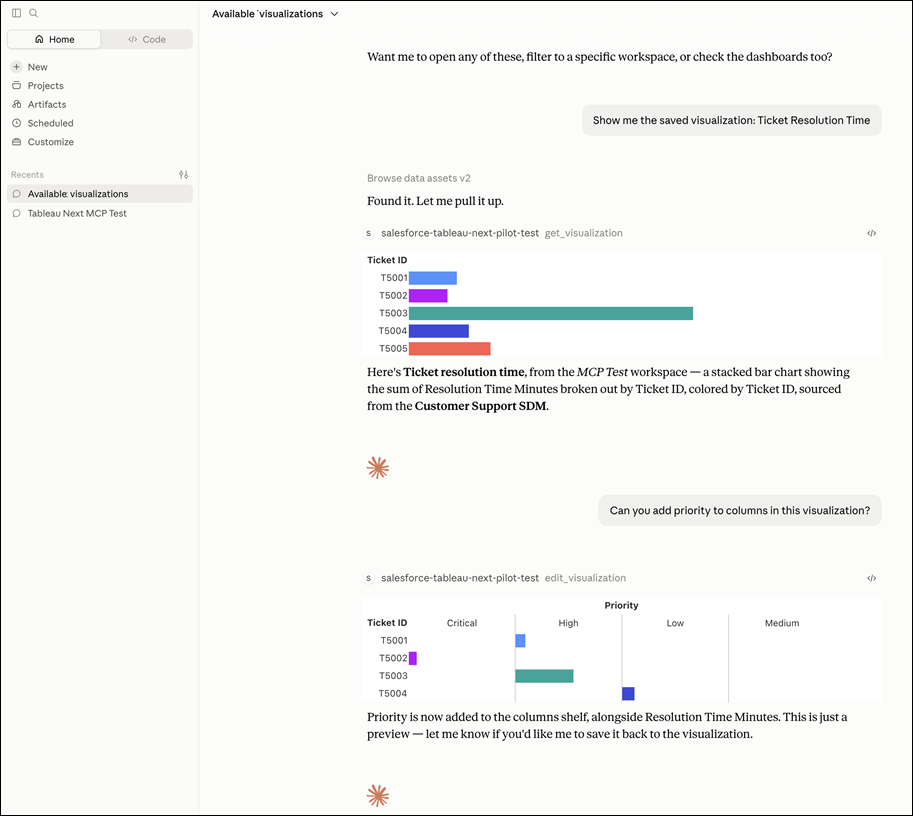
Use Tableau Next analytics with your preferred MCP-compatible AI assistant or agent, such as Agentforce, ChatGPT, or Claude. Create, edit, and save visualizations and dashboards, or ask questions about your Tableau Next data without leaving your existing AI workflow. Save visualizations and dashboards as governed Tableau Next assets for reuse and continued analysis.
Where: This change applies to Tableau Next in Enterprise, Performance, and Unlimited editions.

Why: For example, when sales reps notice a dip in their pipeline, they can ask an AI agent to investigate the issue. The agent can also create visualizations that illustrate the findings, refine them through the conversation, and save them as governed Tableau Next assets.
How: After your administrator enables the Tableau Next MCP connection, open a conversation in your preferred MCP-compatible AI assistant or agent. Then start analyzing your Tableau Next data.