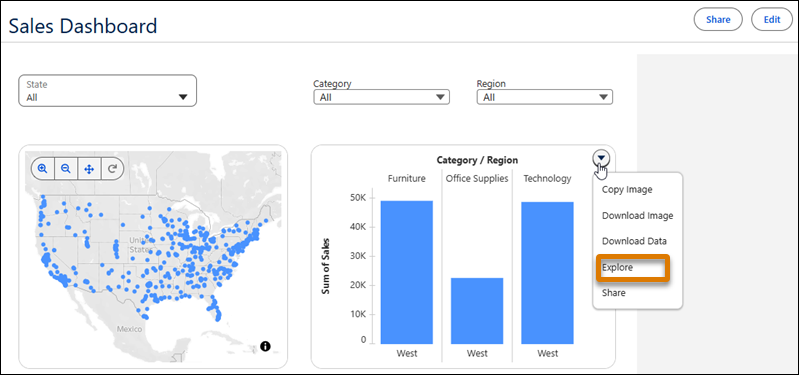
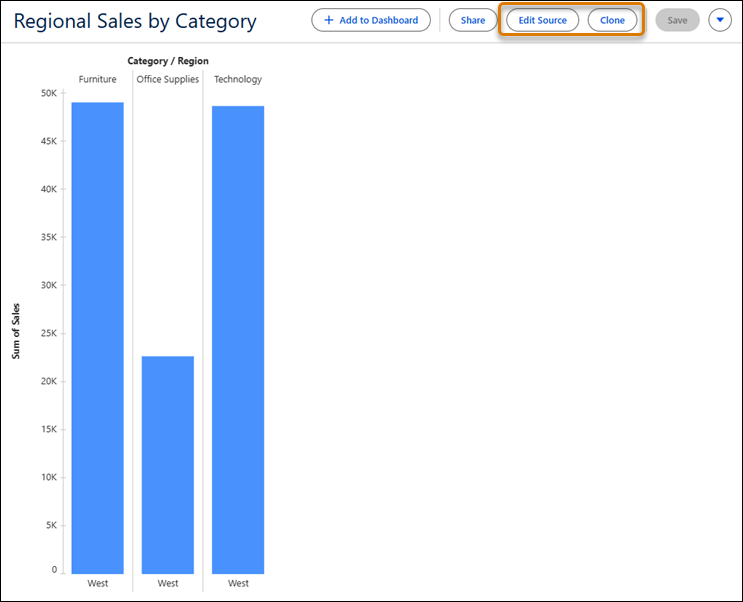
When you explore a visualization from a dashboard, review the applied dashboard filters and parameters so you can evaluate how they affect the data. From there, create a clone that includes the current dashboard filters as its starting point while leaving the original visualization unchanged. Or, edit the original visualization without the applied dashboard filters and parameters.
Where: This change applies to Tableau Next in Enterprise, Performance, and Unlimited editions.
How: From a visualization in a dashboard, click Explore from the visualization's context menu. To edit the original visualization, click Edit Source. To create a visualization that includes the current dashboard filters, click Clone.