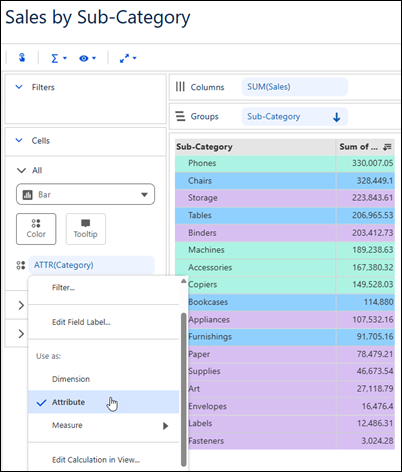
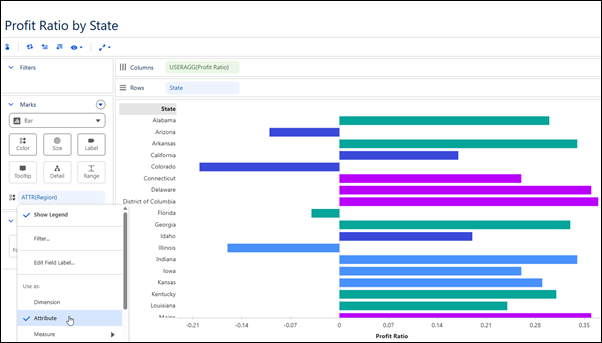
To provide additional context for aggregated measures in a visualization while keeping your view focused on summarized results, aggregate dimensions as attributes. Use aggregated dimensions for color, labels, tooltips, and detail in tables and charts. For example, in a table that shows sales by sub-category, aggregate Category as an attribute to color cells and visually distinguish related sub-categories. In a chart that shows profit ratio by state, aggregate Region as an attribute to add regional context without changing the structure of the view.
Where: This change applies to Tableau Next in Enterprise, Performance, and Unlimited editions.
How: From a dimension's context menu, select Use as Attribute.