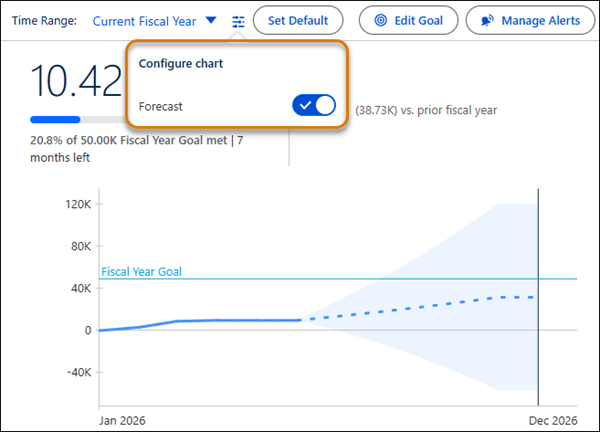
You can see a metric’s predicted performance and plan accordingly with forecasting for metrics in Tableau Next. For example, a metric’s forecast shows that sales for a specific category are going to exceed your current inventory level. And because the metric’s forecast is grounded in historical data, you can be confident in planning your next steps. Forecasting can be used with or without goals or thresholds.
Where: This change applies to Tableau Next in Enterprise, Performance, and Unlimited editions.
How: From the metric page Tableau Next, open the chart configuration menu (slider icon). Then, turn on the toggle for Forecast. Or from a dashboard in Tableau Next, edit the dashboard, select the metric, and check the box for Show Forecast.