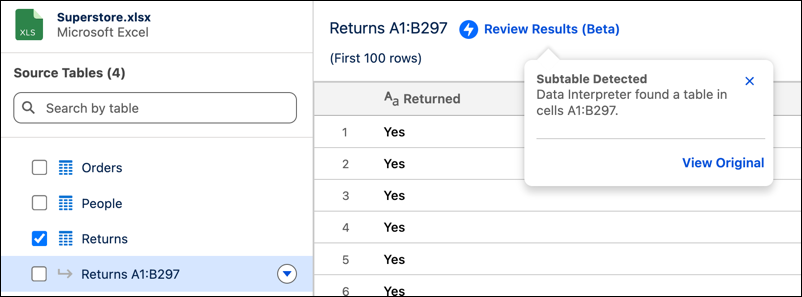
Inspect and validate Excel data cleanup by using the new Review Results (Beta) option. After running Data Interpreter, open the results menu to see detailed descriptions of detected formatting adjustments alongside a preview of your original file. Reviewing these explanations makes sure that your data ranges appear correct without needing to re-open the source file.
Where: This change applies to Tableau Next in Enterprise, Performance, and Unlimited editions.

Note Review Data Interpreter Results is a pilot or beta service that is subject to the Beta
Services Terms at Agreements - Salesforce.com or a written Unified Pilot Agreement if
executed by Customer, and applicable terms in the Product Terms Directory. Use of this pilot or beta service
is at the Customer's sole discretion.
How: Upload an .xlsx file and run Data Interpreter. After processing finishes, click Review Results (Beta) on the cleaned sheet to view the detected formatting issues. To view a snapshot of your source file, click View Original.