Clean and Update Unformatted Excel Data Automatically with Data Interpreter (Generally Available)
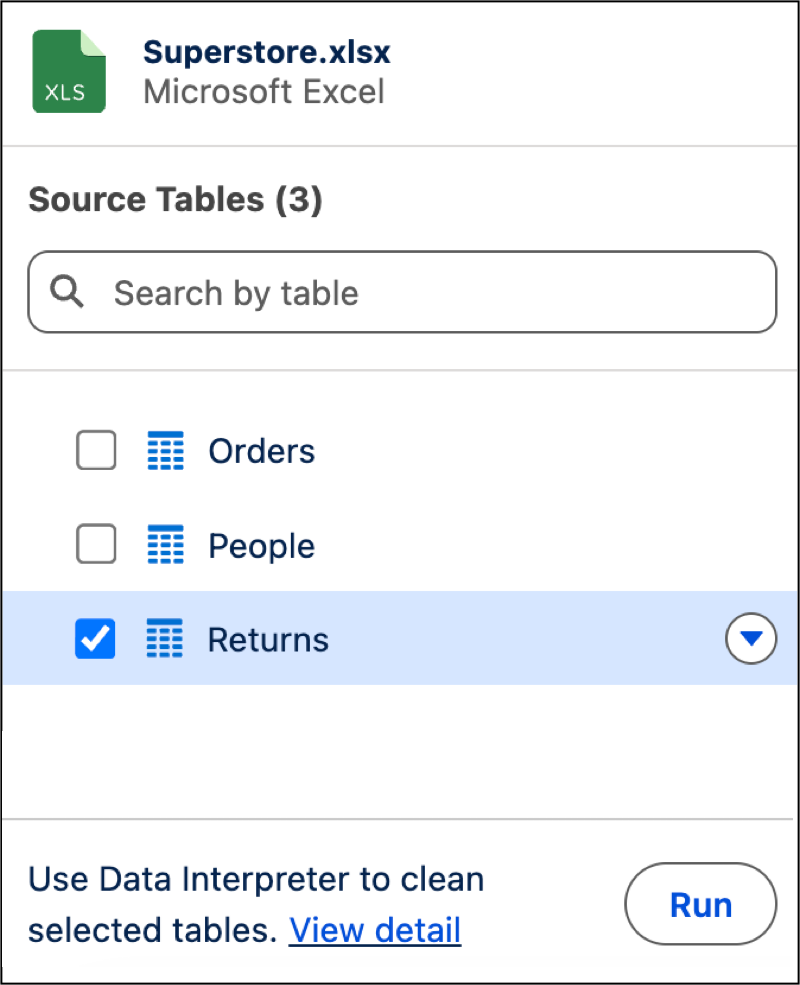
Prepare, clean, and update unformatted Excel files automatically by using the Data Interpreter. Eliminate manual file restructuring by automatically fixing multi-row headers, merged cells, and extra title rows during initial upload. When re-uploading updated Excel files, manually select sub-tables to ensure Data Lake Objects refresh accurately. Your users get trusted data formatting from upload to insight without breaking downstream data pipelines.
Where: This change applies to Tableau Next in Enterprise, Performance, and Unlimited editions.
How: To import and clean unformatted Excel files, go to your workspace and upload an .xlsx file. After it’s uploaded, click Run to automatically resolve formatting issues or separate subtables before ingesting your data.