
The Summary widget enables you to merge Tableau Next metrics into a cohesive narrative on your dashboard. Instead of scanning individual metrics, the summary widget helps you pinpoint essential performance drivers quickly. By providing a centralized overview, the Summary widget helps stakeholders understand current developments and their reasons at a single glance.
Where: This change applies to Tableau Next in Enterprise, Performance, and Unlimited editions.
How: To integrate a summary into your dashboard, add the Summary widget  to your dashboard. To customize the content for the summary, go to the Widget panel and
click Choose Metrics. Select a model and a minimum of two metrics for the
summary.
to your dashboard. To customize the content for the summary, go to the Widget panel and
click Choose Metrics. Select a model and a minimum of two metrics for the
summary.
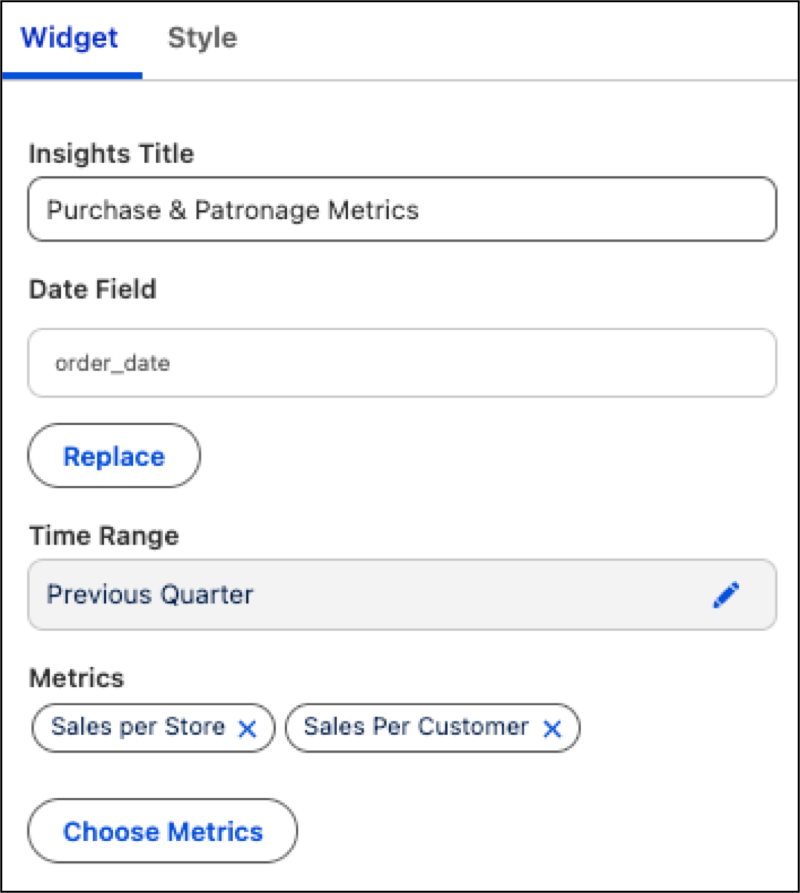
Add a heading in the Insights Title section. Also, you can refine the data shown by applying constraints through the Date Field and Time Range options. Resize the widget to make sure that summary contents are in full view.