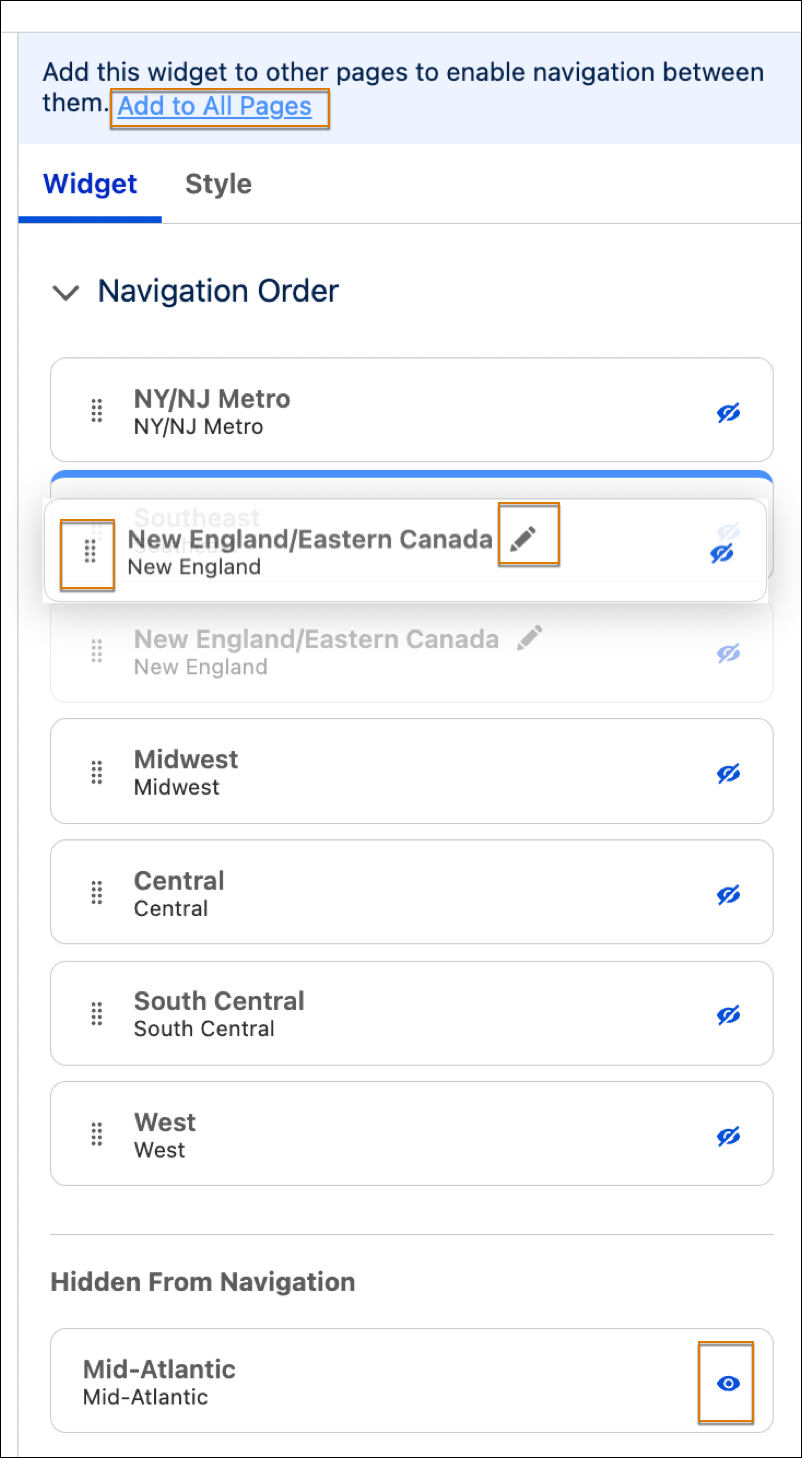
Use the Navigation widget to transform dashboard pages into a horizontal navigation bar. The new widget avoids manual button configurations and automatically scales with new dashboard pages. You can also hide or rearrange pages as you want them to appear in the bar.
Where: This change applies to Tableau Next in Enterprise, Performance, and Unlimited editions.
How: Add the Navigation widget  to your dashboard. The widget instantly populates with your current dashboard pages.

You can change the page name or the specific button label in the Widget panel. You can also reorder pages with the handles, and use the eye icon to change visibility in the navigation bar. To ensure the navigation bar is available across your entire dashboard, select Add to All Pages.