
You can now select multiple widgets to manage your dashboard layouts with greater precision. Move a group of widgets to a new tab or update widget styles in seconds. This flexibility enables you to focus on high-level dashboard organization rather than repetitive individual widget adjustment.
Where: This change applies to Tableau Next in Enterprise, Performance, and Unlimited editions.
How: To select multiple dashboard widgets, press Command (macOS) or Control (Windows) on your keyboard and click them individually, or use your mouse to drag a selection box around the group of widgets you want to include. This simultaneous selection enables you to perform collective editing across the entire group in a single action.
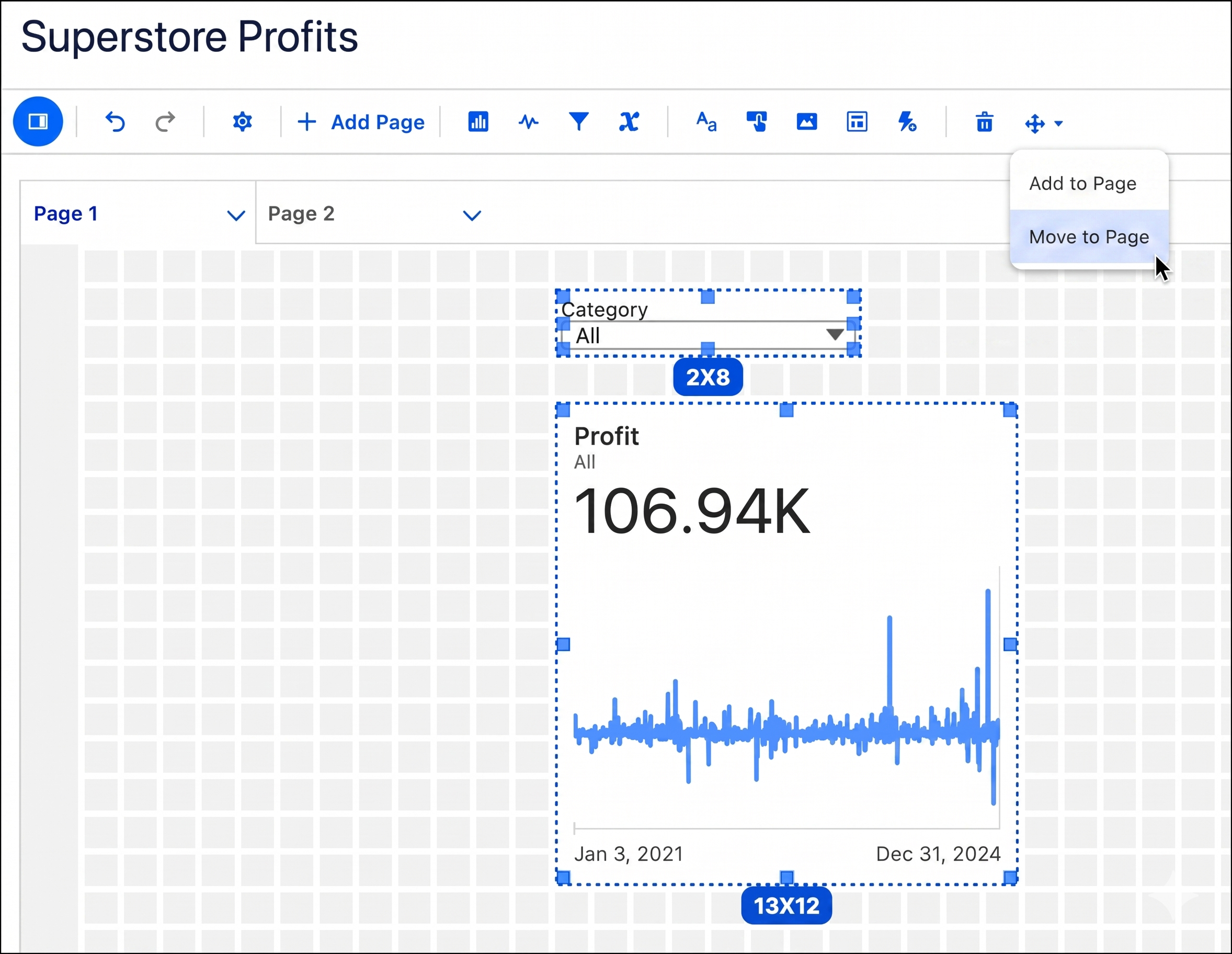
You can drag the group to reposition it on the layout, delete multiple widgets at once, or use page actions to move selections to a different tab. Additionally, you can copy and paste the widgets to duplicate layouts.