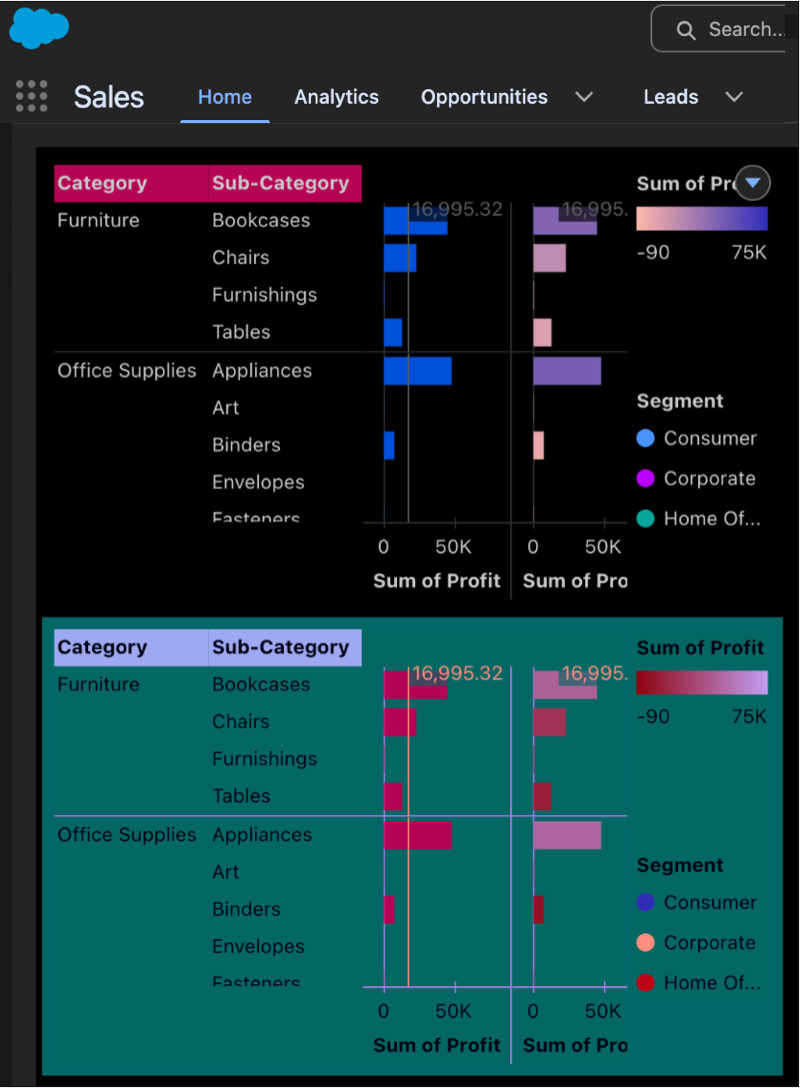
Embedded charts and dashboards within Tableau Next now reflect the theme of your Salesforce org, shifting between light and dark modes. To ensure visual consistency and accessibility, dashboard widgets, metric cards, and visualizations automatically update their color schemes to maintain contrast ratios. While this feature is enabled by default for new dashboards, existing ones require manual updates to support theme switching. Also, the Tableau Next dashboard editor doesn’t support dark modes.
Where: This change applies to Tableau Next in Enterprise, Performance, and Unlimited editions.
How: This feature automatically applies when dark mode is active on your org. For steps on activating dark mode and managing themes, refer to the documentation in See Also.