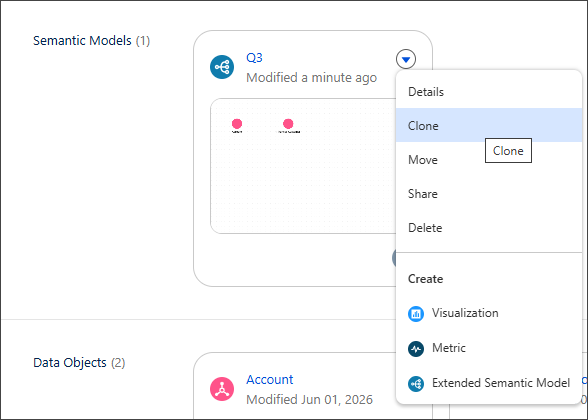
You can now clone semantic data models and referenced assets inside a Tableau Next workspace. When you clone these assets, copies go in your current workspace and you become the owner of the copies. Related dependencies get added automatically as references to your workspace, saving you manual setup time. A referenced asset is any asset added to a workspace that didn't originally create it, and acts as a pointer to the asset owned in another workspace.This action gathers all related, necessary assets for further analysis.
For example, you can clone a referenced dashboard in a workspace. Your workspace then contains a copy of that dashboard and references to all visualizations used in the dashboard. When cloning a semantic data model, the different data objects in the semantic data model are added to the workspace.
Where: This change applies to Tableau Next in Enterprise, Performance, and Unlimited editions.
How:In a Tableau Next workspace, select Clone from the asset’s action menu.