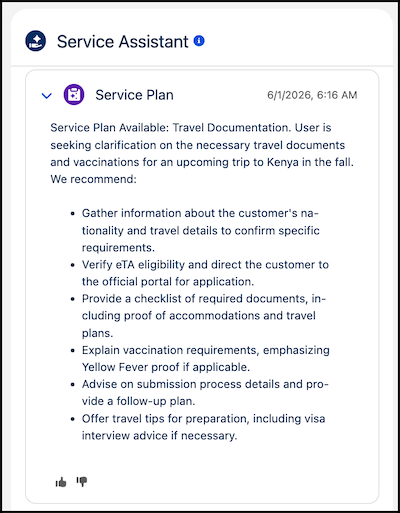
Service reps start issue resolution for messaging sessions faster with the automatic execution of dynamic service plans once the service plan summary is generated. This feature removes the need for service reps to click Start Plan and allows your service reps to focus on fast-paced, live customer interaction and receive a service plan right away.
Where: This change applies to Lightning Experience in Enterprise, Unlimited, and Developer editions with the Agentforce for Service or Agentforce 1 add-ons. This feature requires the Service Planner and Adaptive Experience add-ons.
Feature support: This feature is supported in Service Assistant for Messaging with Enhanced Chat, Facebook, and WhatsApp channels.
When: This feature is available starting July 21, 2026.
Who:
- To turn on Service Replies for Service Assistant, Salesforce admins need the Service Planner Builder permission set.
- To use the feature, service reps need the Service Planner User permission set.
- To start plans automatically, the ServicePlanner User requires the
Agent Messaging Access custom permission set that includes these permissions:
- App permission: Access Conversations Entries
- Messaging Sessions object permission: Read, View All Fields
How: Complete the Service Assistant for Messaging setup and then turn on Start Plans Automatically from the Messaging tab of the Service Assistant Setup page. When turned on, there’s no Start Plan button shown in the component.