
The new Slack panel offers a streamlined way to view and collaborate in Salesforce channels. You can open and close the panel with one click, so it takes up less room on a record page when you aren't using it.
Where: This change applies to Lightning Experience in Essentials, Starter, Pro Suite, Professional, Enterprise, Unlimited, and Developer editions.
Who: Salesforce channels are available to users with a Salesforce, Salesforce Platform Login, Lightning Platform - One App, Company Community User, or Force.com - App Subscription user license.
How: The Slack panel is available by default for new orgs in Enterprise and Unlimited editions.
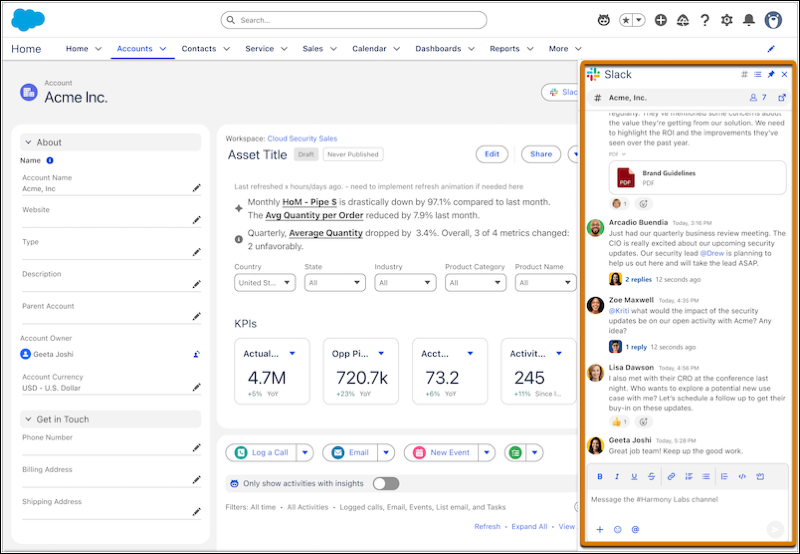
To configure Salesforce channels, from Setup, search for and select Slack Channels for Records. From there, select which objects to enable. When you’re ready, turn on Show Slack Button on Selected Objects.
If you already use Salesforce channels via the Slack Lightning web component, you can switch to the Slack panel. Remove the Slack component in Lightning App Builder, then enable the Slack panel.