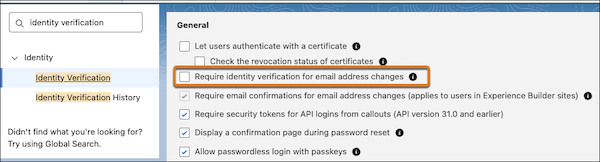
To improve security, Salesforce now requires a valid session for all email address changes. If a user doesn’t have a valid session, Salesforce prompts them to log in to complete the email address change. Previously, Salesforce required a valid session only if the setting “Require identity verification for email address changes” on the Identity Verification page was enabled.
Where: This change applies to Lightning Experience and Salesforce Classic in all editions.
When: When Salesforce first released this change with Summer ’26, users without a valid session were prompted for device activation (if applicable based on browser recognition and IP allowlisting) during their login. Starting in late May 2026, device activation is no longer required for these logins.
How Here's how email address changes work based on your identity verification settings.
- If “Require identity verification for email address changes” is enabled: Salesforce prompts users to verify their identity to complete email address changes. If a user doesn't have a valid session, Salesforce prompts them to log in.
- If “Require identity verification for email address changes” is disabled: users can complete email address changes without verifying their identity. If a user doesn't have a valid session, they must log in.