
We fixed a security gap where external client apps still allowed SAML single sign-on (SSO) using Salesforce as an identity provider, even when the app or its SAML plugin was disabled. Now, for SSO to work, both the app and the SAML plugin must be enabled. If either one is disabled, the SSO login fails.
Where: This change applies to Lightning Experience and Salesforce Classic in all editions.
How: If a user tries to log in to the service provider via Salesforce SSO, Salesforce now checks both the App Status (1) and the SAML Settings (2).

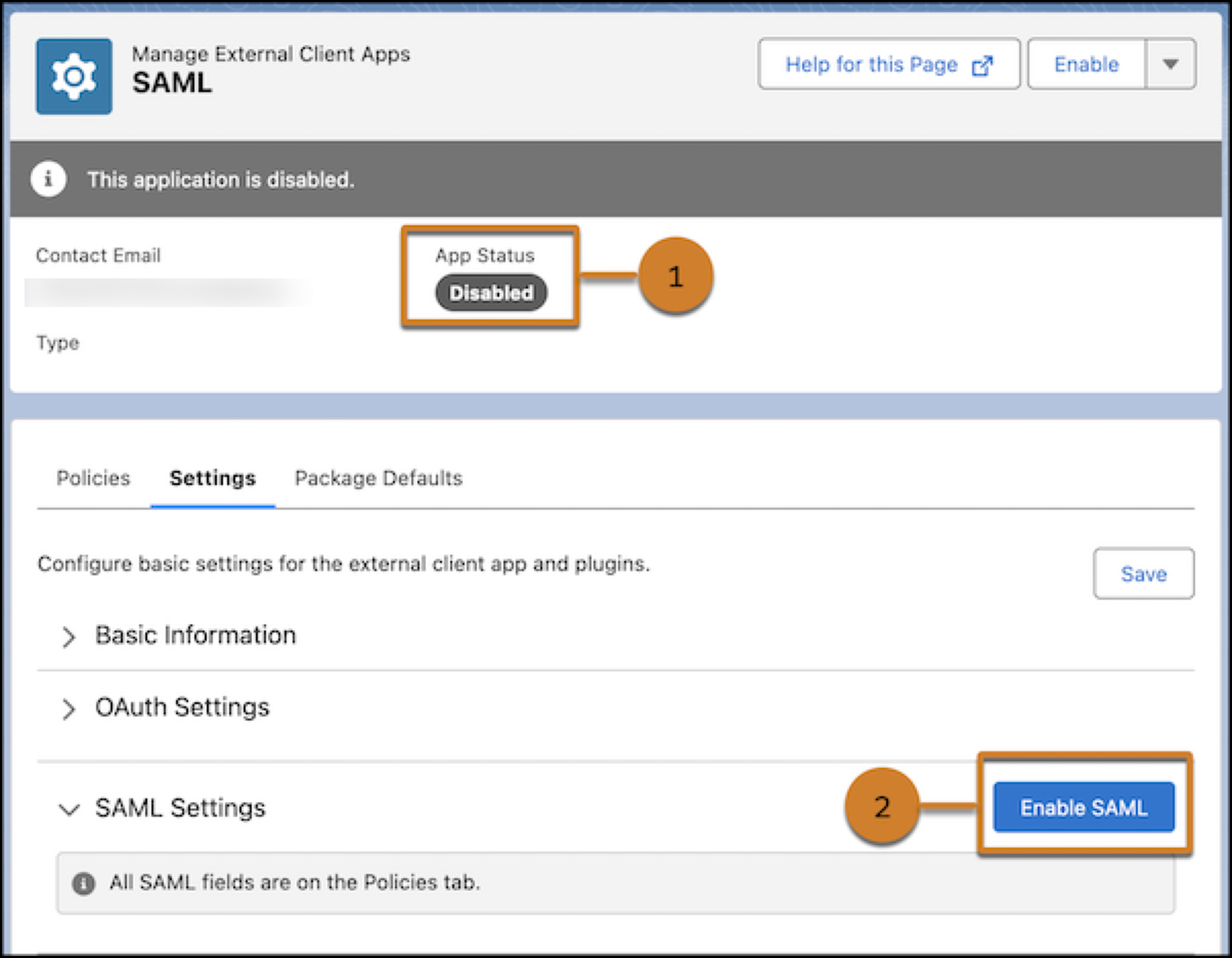
If either one is disabled, the user sees an error. The error message is different depending on the SAML SSO flow.
- Service provider-initiated flow: The user sees a single sign-on error with the message "We can't log you in because of an issue with single sign-on. Contact your Salesforce admin for help.
- Identity provider-initiated flow: The user sees an insufficient privileges error.
Salesforce also logs the failure in the Identity Provider Event Log as "Error: External client app or its SAML plugin is disabled."