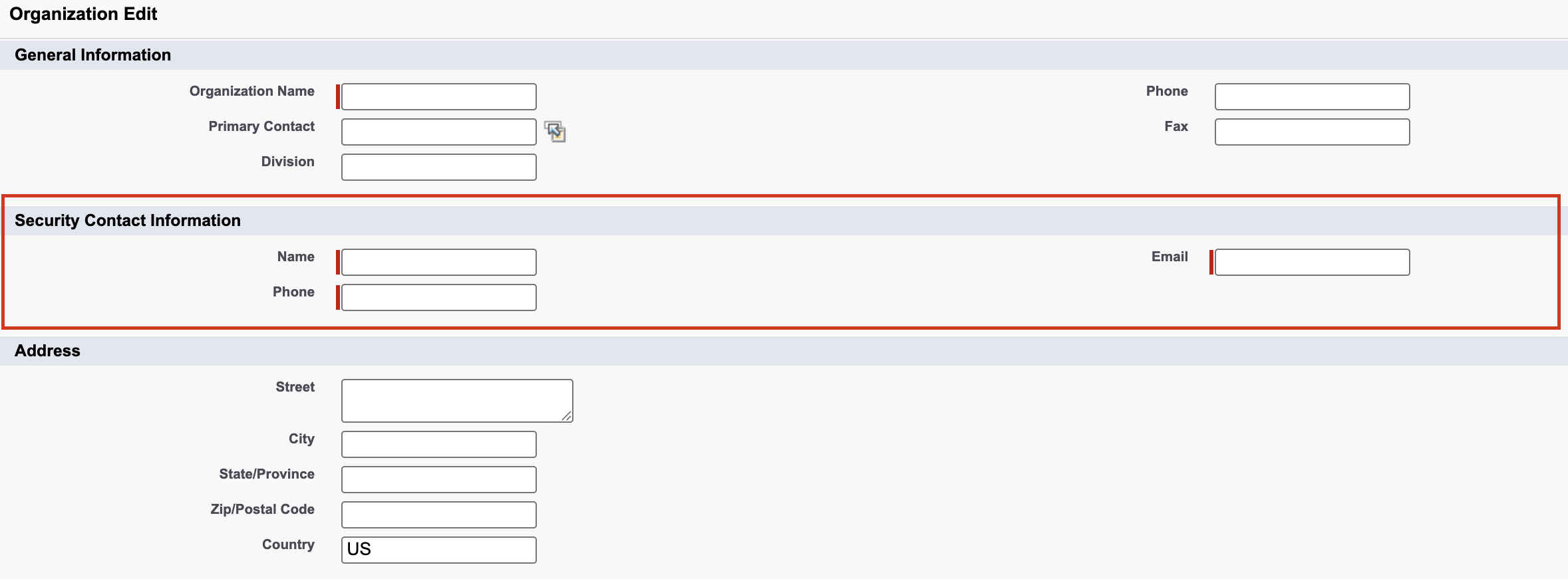
Provide security contact information so that Salesforce can send security alerts and communications to this contact. For the security contact email address, we recommend that you use a monitored distribution list. The security contact information is now required on the Company Information page in Setup. To make sure that you continue to receive security alerts, make a plan to review these fields on a regular basis.
Where: This change applies to Lightning Experience and Salesforce Classic in Essentials, Professional, Enterprise, Performance, Unlimited, and Developer editions.
How: From Setup, in the Quick Find box, enter Company Information, and then select Company Information. Click Edit. In the Security Contact Information section, specify a name, email address, and phone number.