
Define and track key competencies to standardize coaching for your sales teams. Call Coaching works across video calls for Einstein Conversation Insights users. You can use an agent for AI-powered evaluations or manually evaluate calls if you don’t have Agentforce for Sales.
Where: This feature requires Einstein Conversation Insights and is available in Lightning Experience in Enterprise, Performance, Unlimited, and Agentforce 1 Sales editions. Einstein generative AI is available in Lightning Experience.
When: This feature is available in late August 2026.
Who: This feature is available to users with access to Einstein Conversation Insights.
Why: See call evaluations from the Coaching tab on video call records.
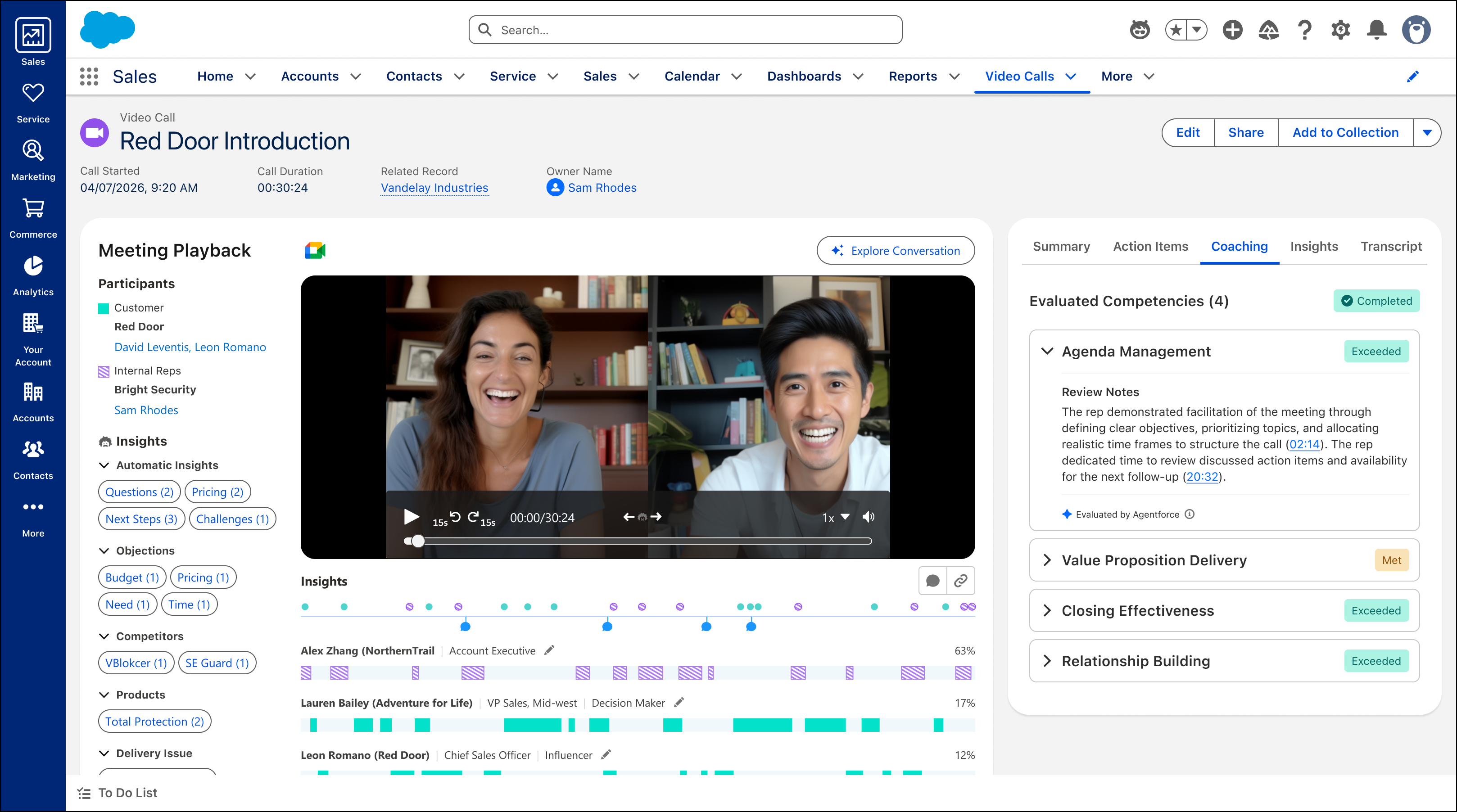
See ratings for competencies that you want to track for your sales teams, including review notes for each of the competencies. And leverage AI-powered coaching to deliver feedback to your reps automatically.
How: Call Coaching can be enabled from the Agentforce for Sales page.
From Salesforce Go, navigate to the Agentforce for Sales page under Features. Then enable Call Coaching.
After you’ve turned on Call Coaching, select and customize the call competencies that are important to your teams. Select and edit template competencies, or create custom competencies that fit your team’s needs.
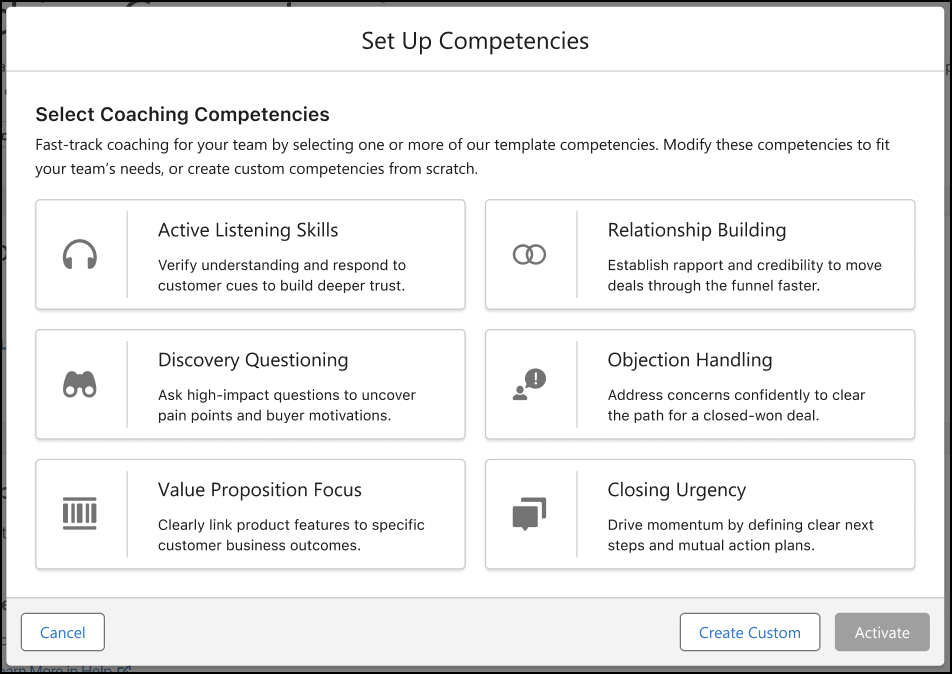
You can always set up and manage competencies from the Coaching Competencies page from Agentforce for Sales or from Salesforce Go under Features.
For AI-powered evaluations, a coaching agent handles your evaluations. After the feature’s turned on and you’ve set up competencies, recorded calls for Einstein Conversation Insights users get evaluated automatically.
For orgs not using Agentforce for Sales, you can still configure and rate competencies manually. Evaluations can’t be edited after they’re submitted, and manual rating isn’t available for orgs with Agentforce for Sales.