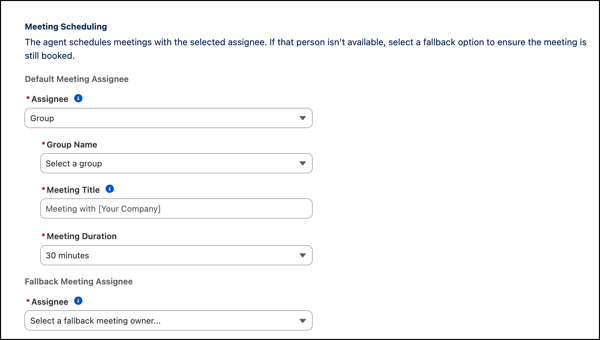
Make it easier for a prospect to schedule a meeting at a time that’s convenient for them by enabling group scheduling for the Lead Nurturing and Inbound Lead Generation agent. When scheduling a meeting, prospects view all of the available time slots of Inbox users with a connected email in the selected group.
Where: This change is available in Lightning Experience in Enterprise, Performance, and Unlimited editions with the Agentforce for Sales add-on. Agent setup is available only on the desktop site.
When: This change became available in late March.
How: In the Meeting Scheduling section of the Lead Nurturing or Inbound Lead Generation agent configuration, set the Assignee type to Group. Select the group name that you want the agent to use when scheduling a meeting.