Search for products by capturing photos with the POS device camera instead of relying on text and barcodes. This visual approach speeds up product identification during order fulfillment for omni-channel orders, reducing errors and helping store associates locate items more quickly and accurately.
Where: This change applies to Point of Sale.
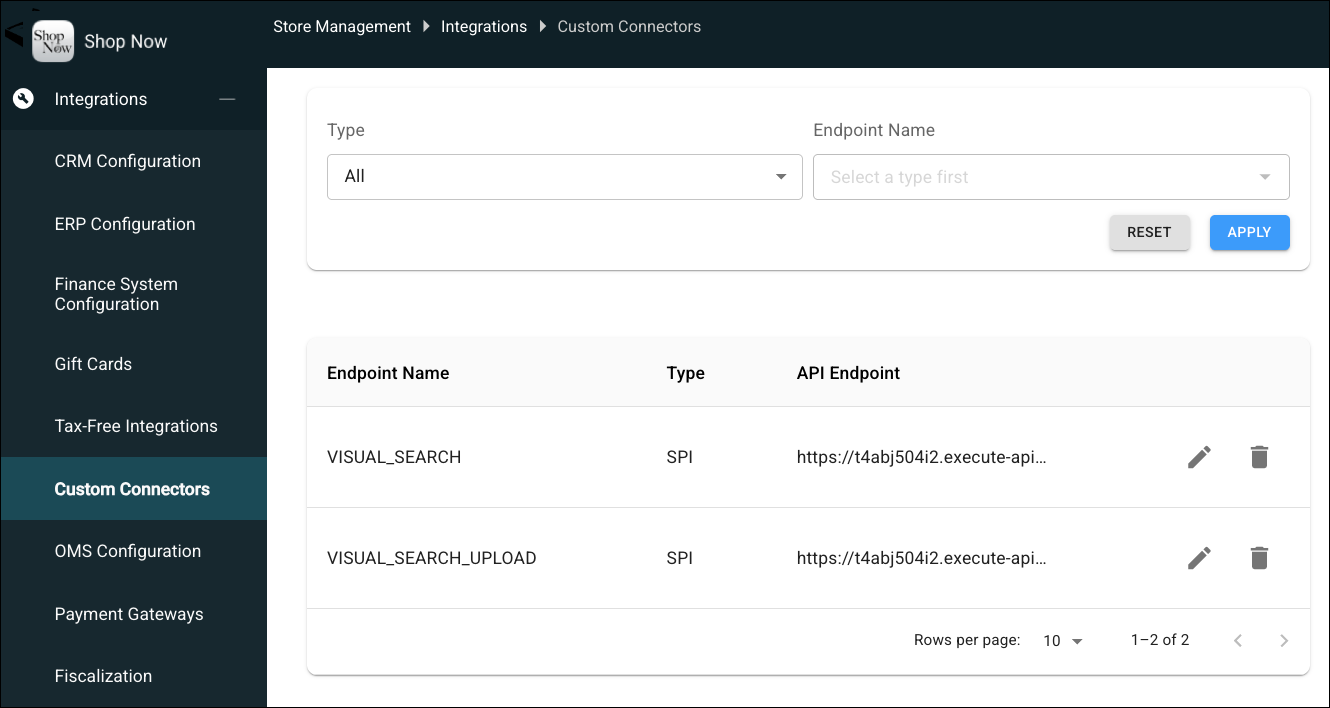
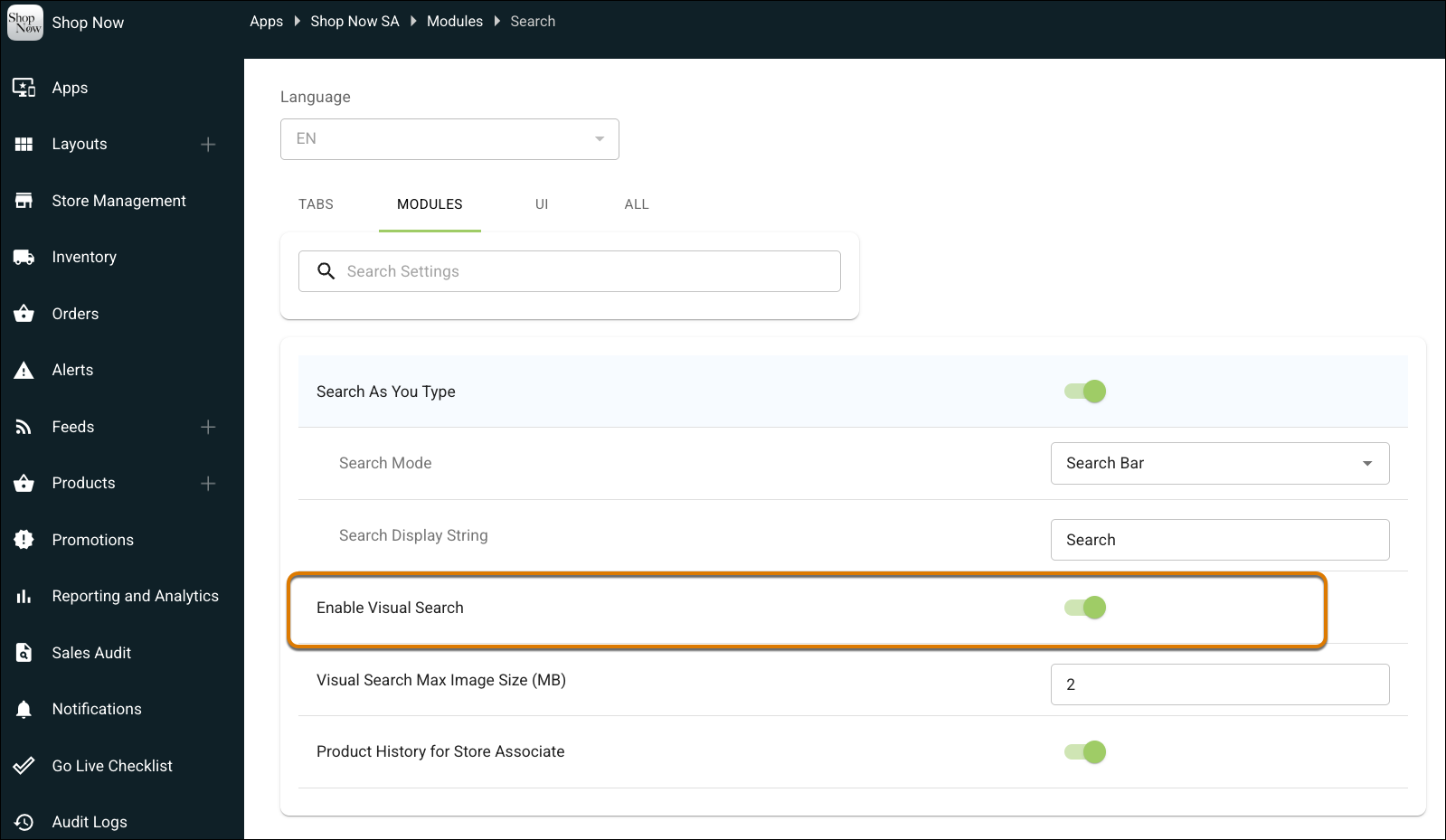
How: To turn on visual search, go to CMS | Integrations | Custom Connectors and configure the Visual Search and Visual Search Upload SPIs. To access visual search on the POS, go to Apps | Modules | Search and turn on Enable Visual Search.