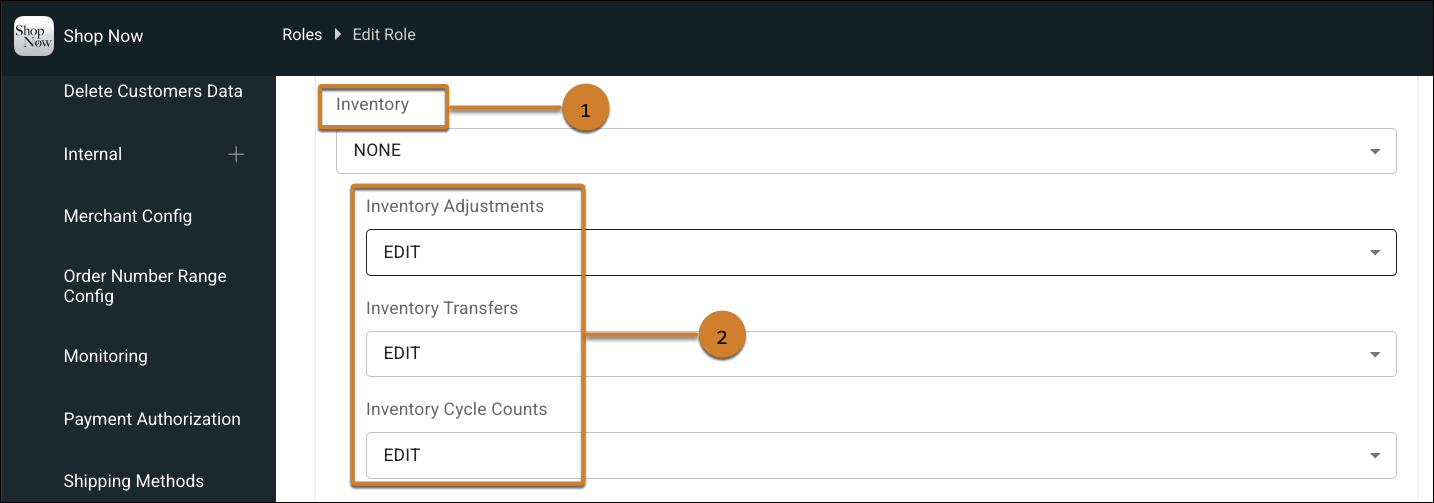
Restrict access to specific inventory modules by configuring permissions for transfers, adjustments, and cycle counts. This change replaces the single inventory permission with separate permission settings for each inventory module, giving you the flexibility to define access for different roles. By limiting access to specific modules, you prevent operational risks and maintain tighter control over your store data.
Where: This change applies to Point of Sale.
How: In CMS, go to Advanced | CMS User Management | Roles. Create a role or edit an existing role. To manage permissions for individual inventory modules, set Inventory to none (1). Then select the permission level for adjustments, transfers, and cycle counts (2).