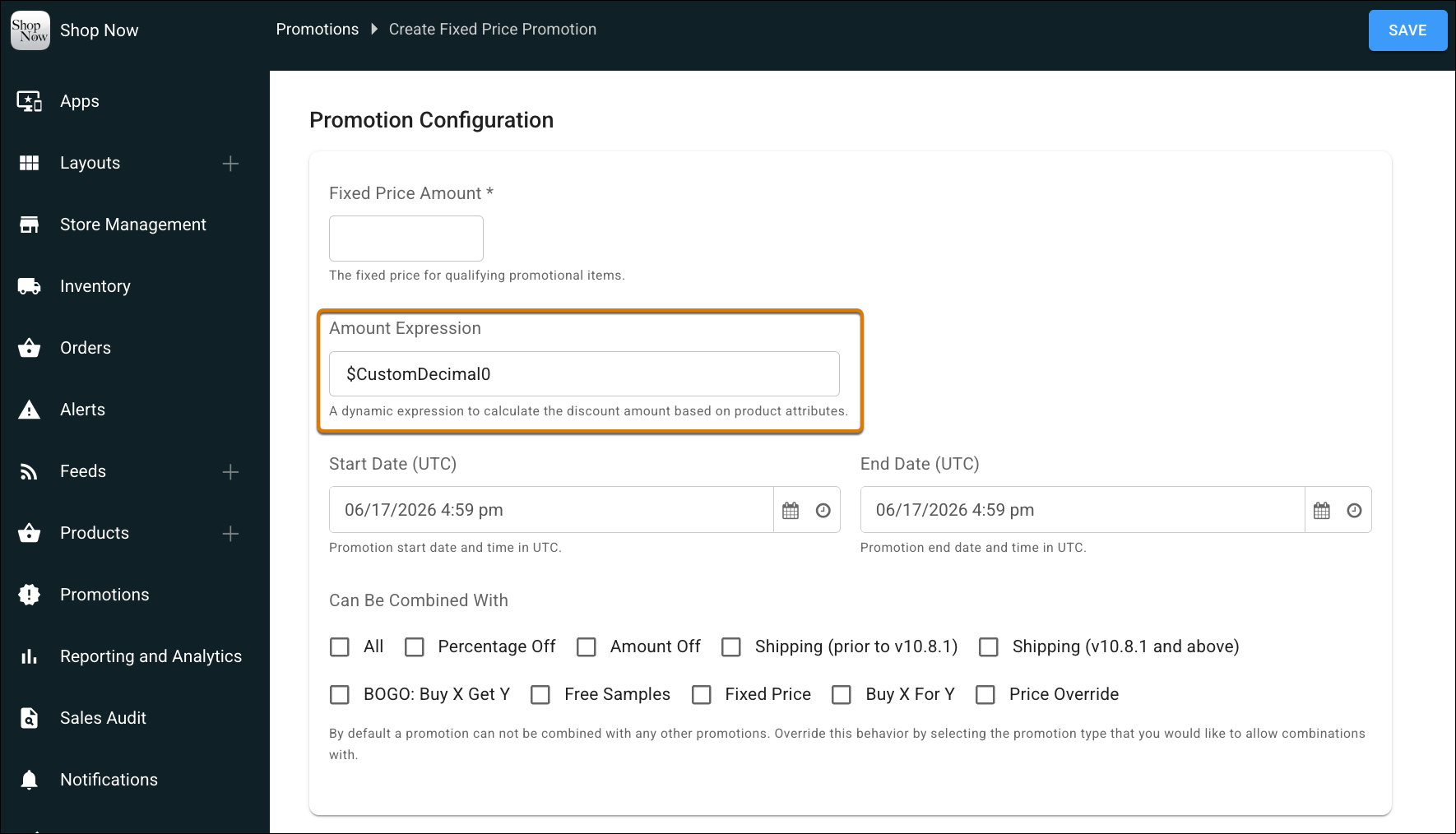
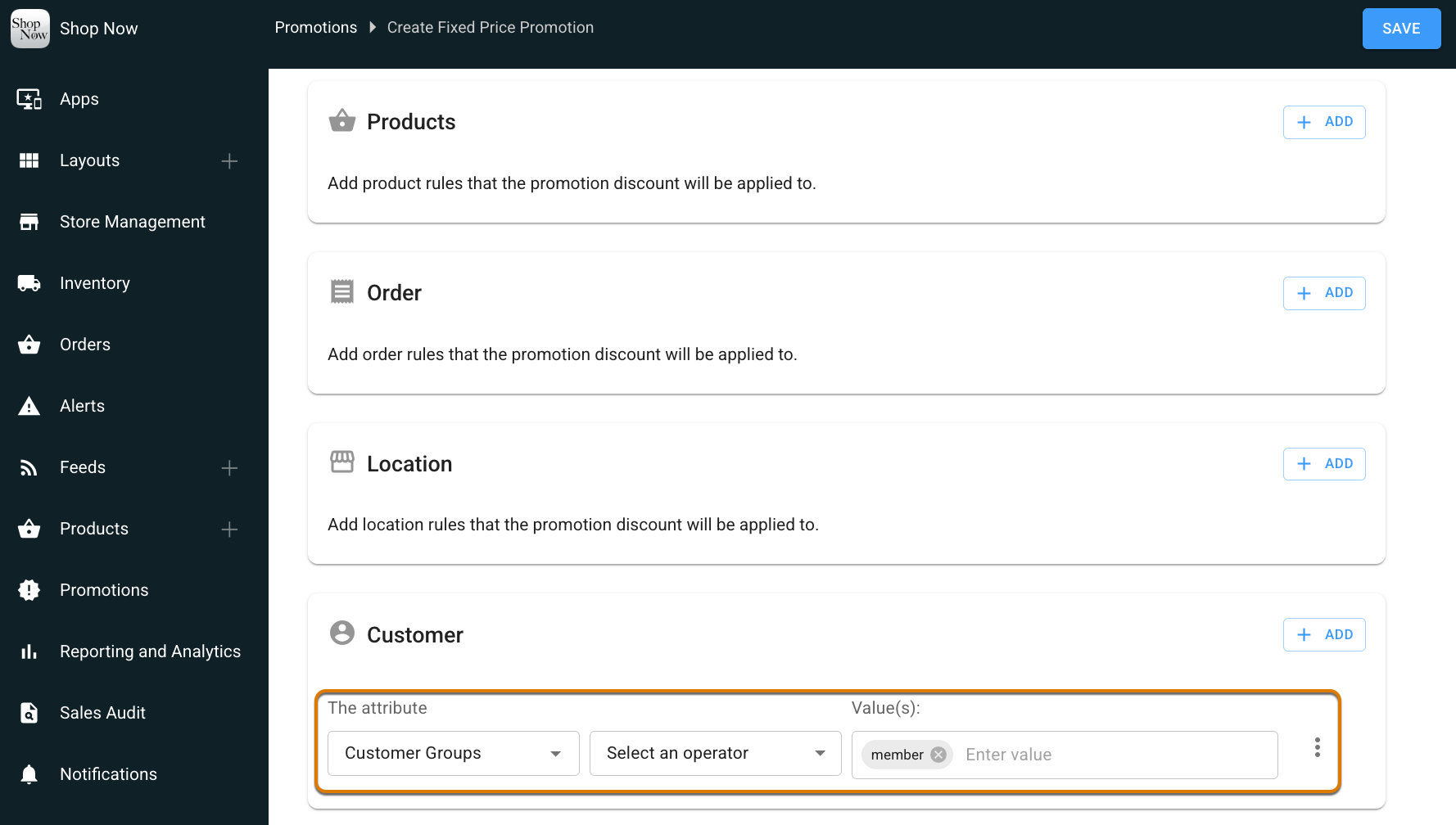
Offer exclusive, better pricing to signed-up members compared to regular customers automatically. By setting up a Fixed Price promotion that references member pricing stored in your product data, the system dynamically applies member-specific prices at checkout. This automation ensures identified members receive the correct price while you manage all pricing details within your product fields.
Where: This change applies to Point of Sale.
How: In CMS, go to Promotions | Fixed Price. Configure the Amount Expression field with the product field containing your member prices, and set the customer group type to define which customers receive member pricing.