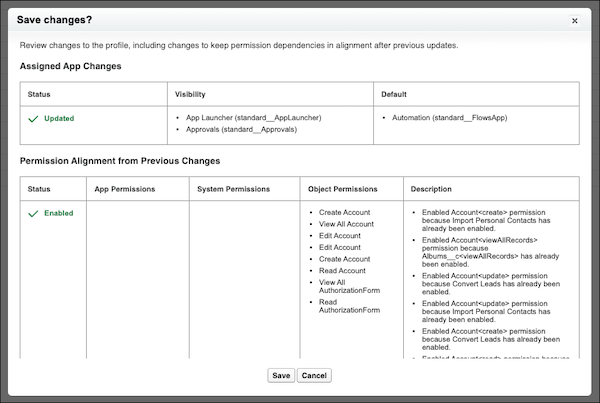
When you update permissions or apps in the enhanced profile user interface, you see any additional changes required to keep dependent permissions in alignment after previous updates. Previously, these changes occurred in the background, but were visible only in the Setup Audit Trail.
Where: This change applies to Lightning Experience and Salesforce Classic in Essentials, Professional, Enterprise, Performance, Unlimited, Developer, and Database.com editions.
How: After you save changes to user permissions, object permissions, or assigned apps, review any additional permission changes.