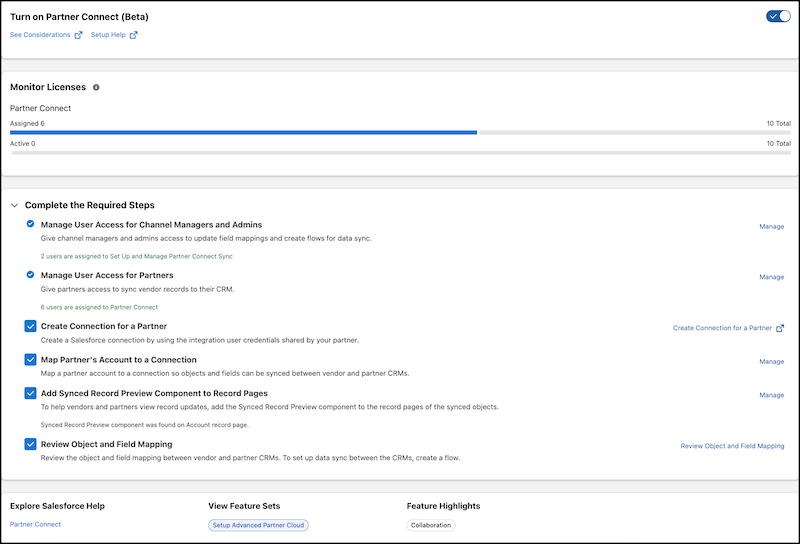
Scale your channel operations by connecting with many partners simultaneously by using MuleSoft-powered flows. You can now share account, opportunity, lead, contact, and case records with your partners to support more use cases. Monitor updates made to those records by your team and the partner. Previously, you could share only lead and opportunity records with partners.
Where: This change applies to Lightning Experience in Enterprise, Performance, and Unlimited editions with Sales.

Why: The new Partner Connect supports sharing and syncing for multiple standard objects. Enhanced reporting enables channel managers to track the health of individual connections and identify object-mapping failures before they impact sales.
How: Turn on Partner Connect in Salesforce Go and complete the setup. First, assign permissions for channel managers, admins, and partner users and map a partner account to a connection. Then review default object and field mappings with your partner. A flow is created to enable record synchronization between your Experience Cloud site and the partner org. After you establish a secure connection, add the Synced Record Preview component to shared object record pages to track changes.