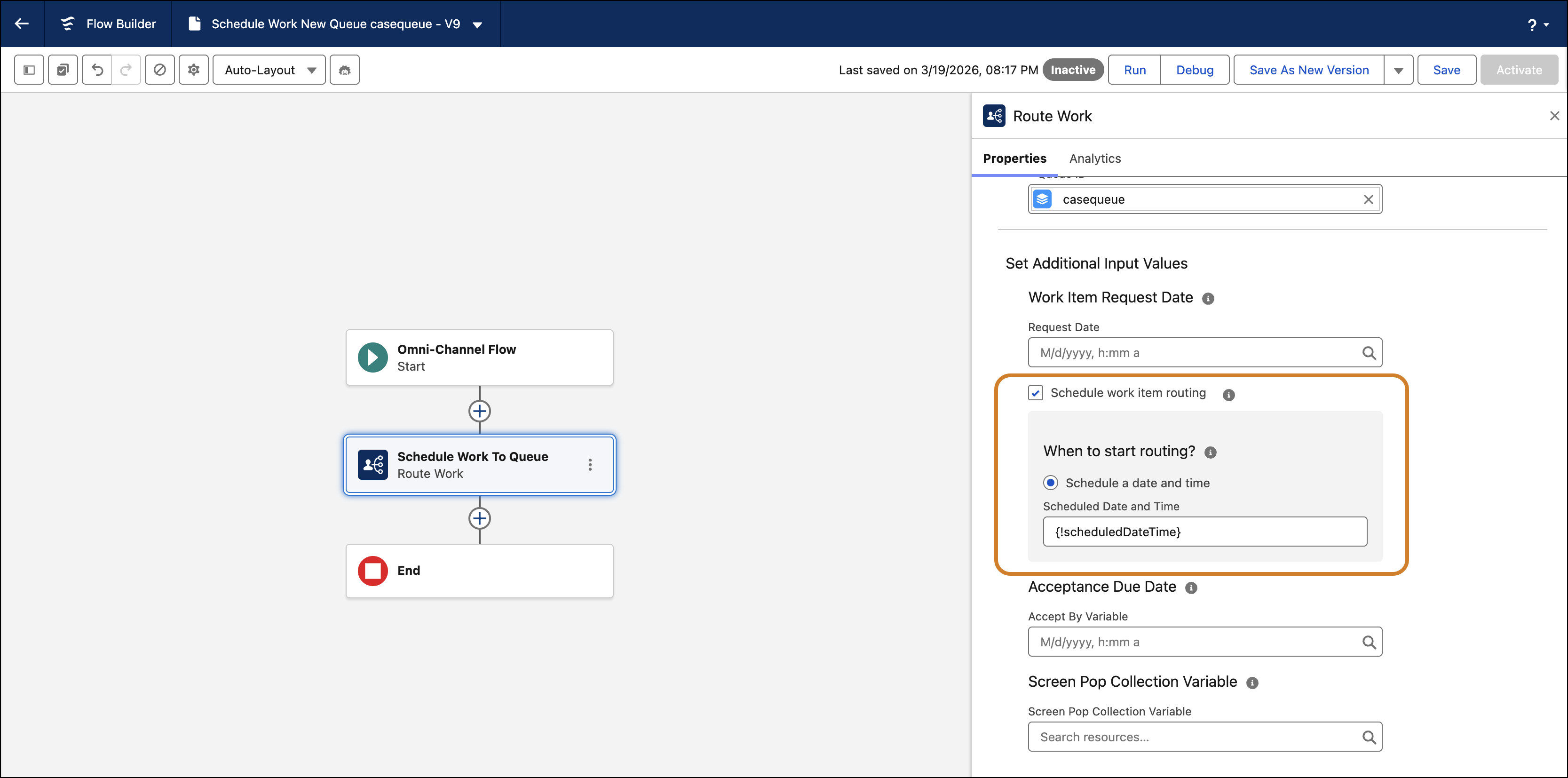
You can now set a specific date and time for work items to to be routed in the future instead of adding them immediately to the routing backlog. This change helps your teams manage callbacks and follow-ups by matching work with available reps only when the scheduled time passes. Supervisors can also track these scheduled items directly within the Command Center for Service backlog.
Where: This change applies to Lightning Experience in Professional, Enterprise, Performance, Unlimited, and Developer editions.
How: Open a flow in the Flow Builder. Add the Route Work action to the flow, and in the Set Additional Input Values section select the Schedule work item routing checkbox. Select the Schedule a date and time option and enter the date and time for the work item to be routed in the Scheduled Date and Time field. This field is available when routing to a queue, skill, or a specific rep. It automatically populates the scheduled time on the Pending Service Routing object. The field and value carry over to the agent work record.