
Get more control over how your marketing content looks, reads, and reaches global audiences. Strengthen brand consistency with custom web fonts, go multilingual with content variants, and tap into live Salesforce data for deeper personalization. Plus, capture web tracking consent with customizable banners in Salesforce CMS and expand your reach with plain text email support.
Where: These changes apply to Salesforce Enterprise and Unlimited editions with Marketing Cloud Next Growth and Advanced editions.
Design and Customize Consent Banners for Web Tracking in Salesforce CMS
Marketers can now create banners in Salesforce CMS that capture consent for web tracking. You can select different banners for different external sites that you track, giving your team more control over the design and banner content. All marketing landing pages use the same consent banner, but you can select different banners for different external sites that you track activity on. For example, design one banner for your home page and a different banner to use on product pages.
SEE ALSO | Salesforce Help: Configure Web Tracking in Marketing Cloud Next
Control Personalization Logic in Landing Page Templates
Scale your web content by preconfiguring rule-based dynamic content and cross-object merge fields in landing page templates. New personalization settings in the content editor link variations across multiple components, including locked ones. This update helps launch campaign-ready pages with your brand’s data logic already baked in and prevents accidental edits to critical personalization rules.
SEE ALSO | Salesforce Help: Create and Manage a Landing Page Template in Marketing Cloud Next
Boost User Profiles with Progressive Profiling for Forms
Scale your forms to match each user’s unique profile without asking for information you already have. Marketers can conditionally show or hide fields based on known user attributes to deliver a personalized experience on every visit. This creates an efficient method to present additional, meaningful inputs to audiences, effectively driving the enrichment of user profiles.
SEE ALSO | Salesforce Help: Add Progressive Profiling to Forms
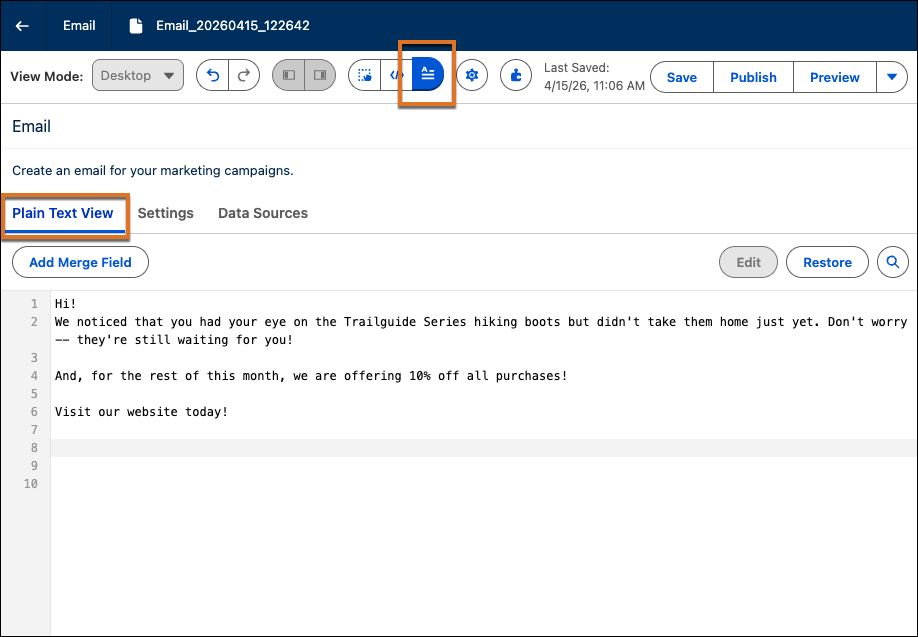
Send a Plain Text Version of Your Email
To boost engagement and ensure your reach across all viewing formats, such as secure email clients and screen readers, create a custom plain text version of your email messages. To edit message text, open an email in the editor, and select the Plain Text view.
Personalize Emails with New Data Sources
To use the most current business data to personalize emails, add merge fields to your message content that are based on two new data sources: Salesforce Objects and content variables. Reference live Salesforce Objects, such as Cases or Leads, as direct data sources. Add your own custom content variables to define dynamic placeholders in your content. These content variables can be mapped to any data source available in Salesforce Flow, including MuleSoft and HTTP connectors. Flow populates the content variables at runtime.
SEE ALSO | Salesforce Help: Personalize Marketing Content
Choose the Best Image with Recommenders
Automatically select the best image for each email recipient at send time. Objective-Based Recommenders use each recipient's profile and engagement history to pick an optimal image file from a pool that you define. The recommender keeps learning from opens and clicks to improve future selections.
When: This functionality is available starting August 2026.