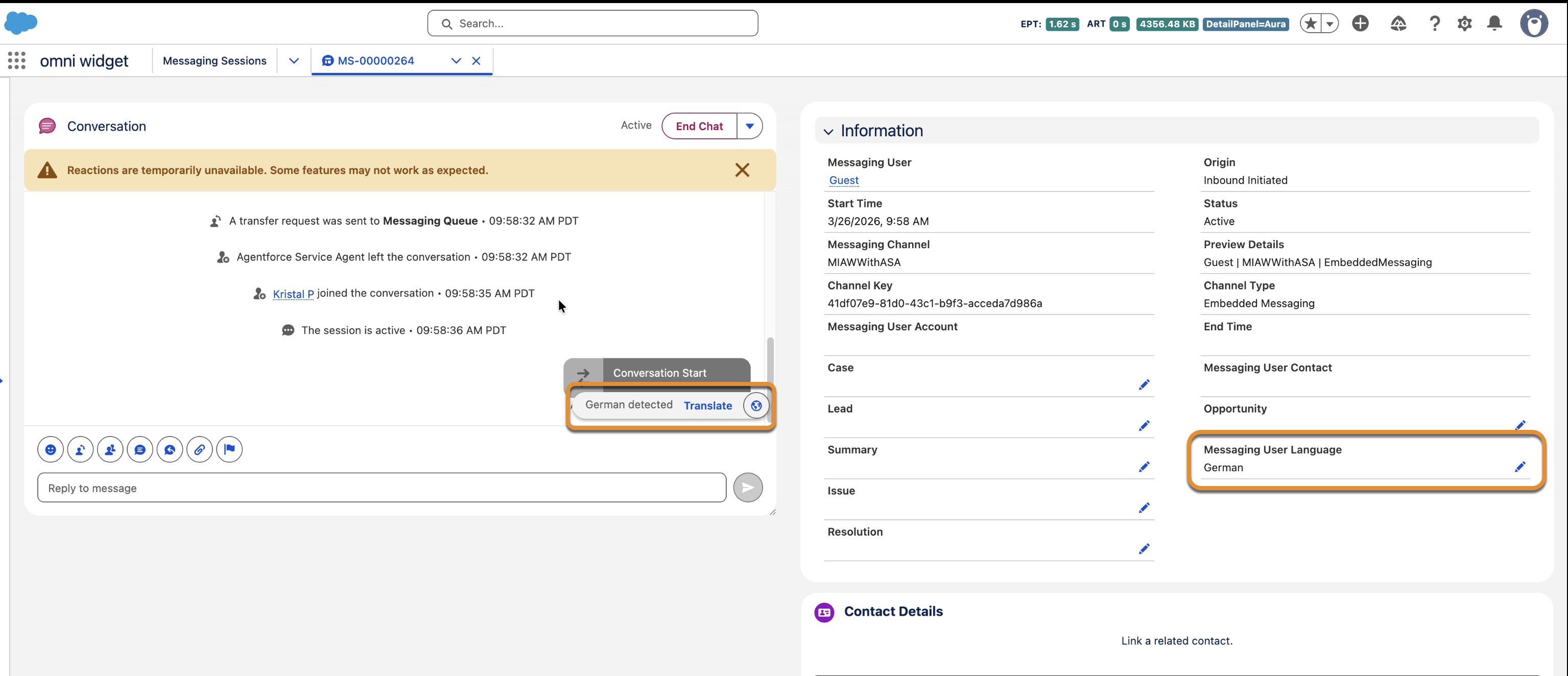
Your support reps can now handle multilingual conversations more accurately by routing translation settings through the Messaging User Language field. The translation component automatically detects and applies the language specified in this field, even if the user sends messages in a different language. If a user requests a switch to another language, reps can update the field directly on the record and refresh the component to continue translating in the new language. This update ensures that your reps always have the correct context and translation tools available during active chat sessions.
Where: This change applies to Enhanced Chat and Enhanced Messaging. View required editions.
Who: Users with the Real-Time Translations permission set license and the Translate Enhanced Conversations user permission.
How: To enable this feature, contact Salesforce Support. Salesforce automatically detects the user's language and translates the rep's reply. To change the language of a messaging session, open the session in the Omni-Channel widget. In the Information section, edit the Messaging User Language field.