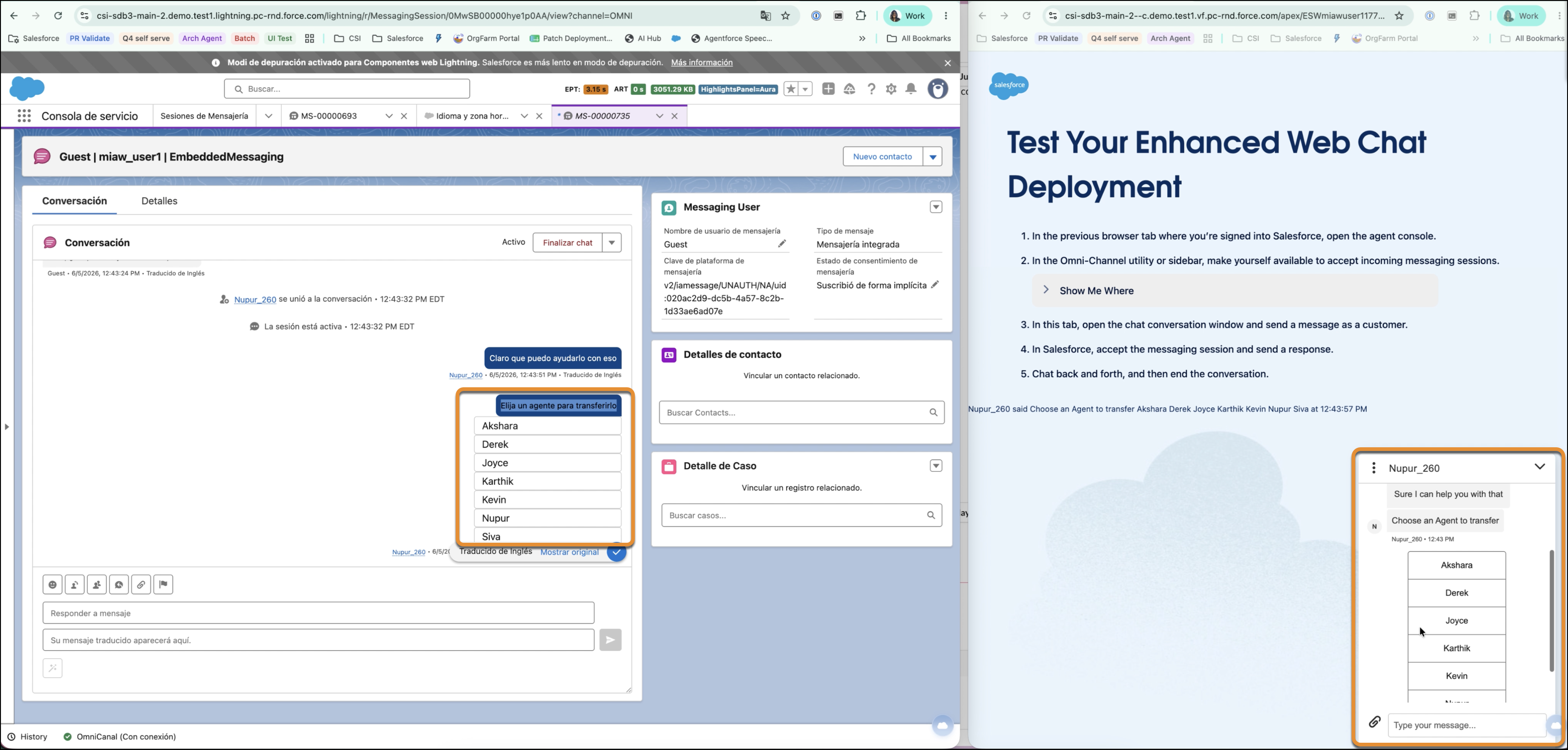
Translate structured messages in chat into your preferred language using automatic translation. When the system detects a different language, a translation prompt appears to convert the text instantly. Your service reps can seamlessly toggle back to the original text at any time. Unlike text messages, structured messages are not translated at the time of sending. They are sent in the language configured by the admin in the organisation. On the conversation transcript, the content is translated into the reps or end user’s language for viewing.
Where: This change applies to Enhanced Chat and Enhanced Messaging. View required editions.
Who: Users with the Real-Time Translations permission set license and the Translate Enhanced Conversations user permission.
How: To enable this feature, contact Salesforce Support.