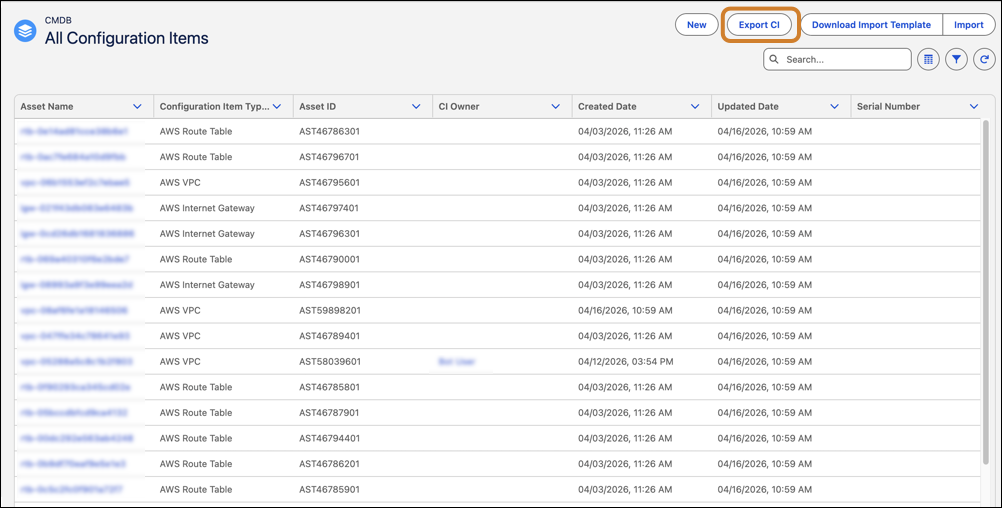
Filter, search, and export configuration items (CIs) directly from list views to streamline analysis and reporting. Use advanced filtering options and searchable attributes to quickly narrow results. Export filtered CIs as a CSV file for external analysis or sharing to support operational decisions and improve visibility into your CMDB data.
Where: This change applies to Lightning Experience in Unlimited, Enterprise, and Performance Editions with Agentforce IT Service where Salesforce CMDB & Service Graph is enabled.
Who: Users with access to configuration items can filter and export data from list views.
Why: CMDB often contain large volumes of data. Advanced filtering and export capabilities help teams quickly isolate relevant records and perform analysis without manual effort.
How: From the Salesforce CMDB & Service Graph app, go to All Configuration Items. Apply filters and search criteria to refine results. Use the Export CI option to export the filtered configuration items as a CSV file. You can then download the exported file from the Export History tab in CI Imports and Exports under CMDB in Administration, if the status is complete.