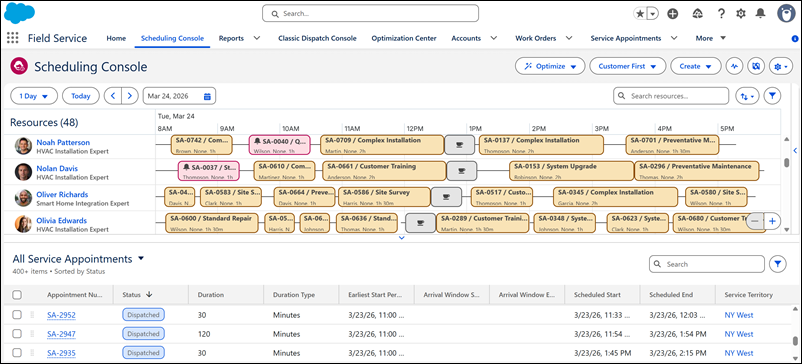
Empower your team to manage complex Field Service scheduling operations with an intuitive and sleek console built on Lightning Web Components for peak usability and productivity. Designed to reduce cognitive load, this high-performance interface supports multi-screen configurations, ensuring your dispatchers stay efficient, focused, and responsive. The scheduling console is also available to Experience Cloud site users.
Where: This feature is available in Lightning Experience and Aura sites accessed through Lightning Experience in Enterprise, Unlimited, and Developer editions with the Field Service managed package installed.
How: In Setup, go to Field Service Settings and verify that Field Service Enhanced Scheduling and Optimization is enabled. Under Permission Sets, select Field Service Dispatcher Permissions or create a permission set for your dispatchers. Then, from Object Settings, enable the Scheduling Console tab, and under Manage Assignments, assign users the permission set. For quick setup, go to Salesforce Go and select Scheduling Console.