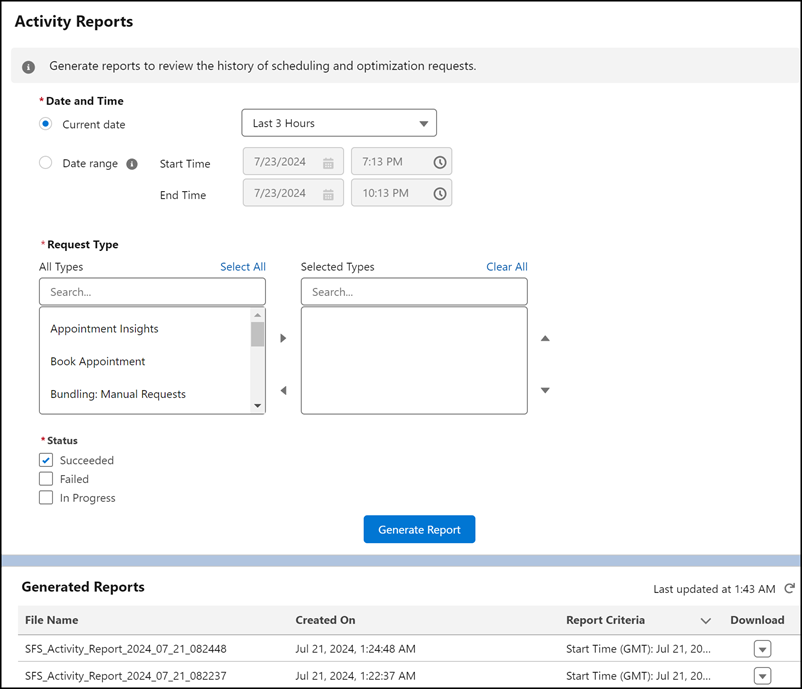
Use Activity Reports to get information on scheduling and optimization requests that you run. You can generate an activity report for a specific request type and easily identify whether it succeeded or failed. For example, generate a report on a Global Optimization request that failed. The report output details the reasons for the failure, allowing you to take action and troubleshoot the issue quickly.
Where: This feature is available in Lightning Experience in Enterprise, Unlimited, and Developer editions with the Field Service managed package installed.
How: In Setup, go to Field Service Settings and verify that Field Service Enhanced Scheduling and Optimization is enabled. In the Field Service Admin app, click the Field Service Settings tab and select Scheduling. Then, enable activity reports under General Logic. To access activity reports, from the App Launcher, find and select Optimization Center.