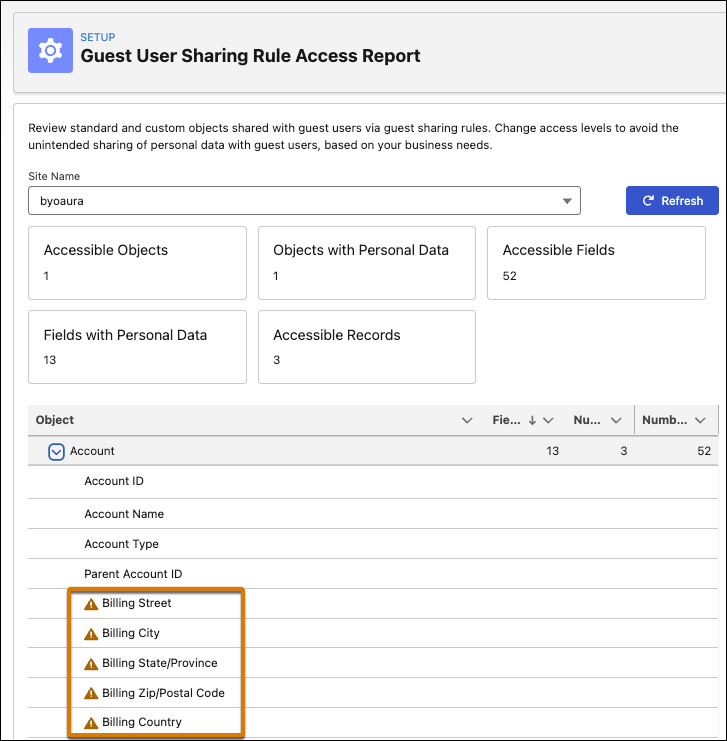
A new warning icon next to field names in the Guest User Sharing Rule Access Report identifies fields that potentially expose personal information. For example, on the account object, the icon flags fields with revenue data or address and contact information. You can review these fields case by case to decide whether to change their sharing rules to hide the fields—and their data—from unauthenticated users.
Where: This change applies to Aura and LWR sites accessed through Lightning Experience and Salesforce Classic in Enterprise, Performance, Unlimited, and Developer editions.
How: From Salesforce Setup, enter Guest User in the Quick Find box and select Guest User Sharing Rule Access Report. Select a site and, for each object, review the flagged fields to determine whether to update their sharing rules to hide these fields from guest users.