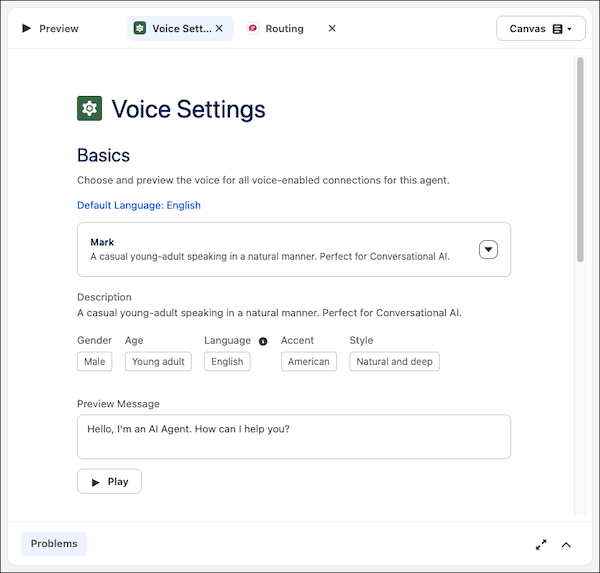
Scale your operations and decrease agent handle time by offering customers a more engaging and accessible way to interact with your service agents. With Agentforce Voice for Enhanced Chat v2, customers can seamlessly switch between text and voice mode. Easily set up a voice-enabled service agent and customize it to meet your unique business needs in Agentforce Builder.
Where: This change applies to Lightning Experience in Enterprise, Performance, Unlimited, and Developer Editions with Foundations or Agentforce 1 Editions.
When: This change is available starting the week of June 8, 2026.
How: Before you get started, turn on Agentforce and set up Agentforce Voice.
To enable Agentforce Voice for Enhanced Chat v2, in Setup enter Messaging Settings in the Quick Find box and select Messaging Settings, choose your Enhanced Chat v2 channel. To turn on the feature, select the toggle next to Allow Agentforce Voice for Enhanced Chat.
In the new Agentforce Builder, open an Agentforce Service agent and add the Enhanced Chat v2 connection. You can customize and test your agent’s voice settings on the Voice Settings page.