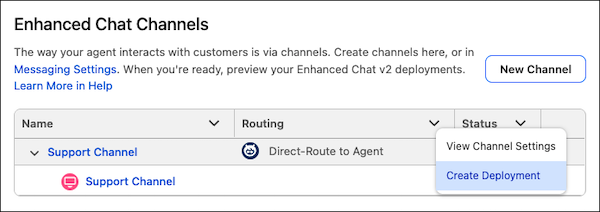
Spend less time setting up Enhanced Chat v2 deployments with the latest improvements in Agentforce Builder. Now, when you create a channel from the Enhanced Chat v2 Settings page, Agentforce creates an embedded service deployment for you. You can also easily add more deployments to a channel from the Enhanced Chat Channels table.
Where: This change applies to Lightning Experience in Enterprise, Performance, Unlimited, and Developer editions with Foundations or Agentforce 1 editions.
When: This change is available starting the week of August 3, 2026.
How: In Agentforce Builder, open an Agentforce Service agent and add the Enhanced Chat v2 connection. On the Explorer panel, select Settings under Enhanced Chat v2.
To create an Enhanced Chat channel, click New Channel. To create an
embedded service deployment for an existing channel, click  in the Enhanced Chat Channels table and then select
Create Deployment.
in the Enhanced Chat Channels table and then select
Create Deployment.