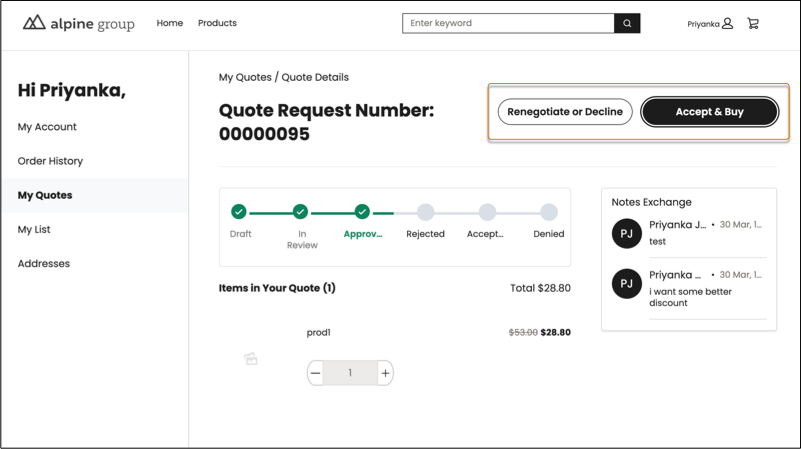
Speed up the purchasing process by letting B2B buyers transition a quote into the cart for checkout. A buyer can move approved quotes to purchase items at negotiated prices without the assistance of a sales rep or copy items from unapproved quotes to purchase them at list price. Get buyer attention sooner by providing authenticated users and unauthenticated guest users an option to request quotes directly from the Product page.
Where: This change applies to B2B Commerce in Enterprise, Unlimited, and Developer editions.
How: In Experience Builder, drag the Request Quote component to your Product Detail page. To move an approved quote to the cart, buyers open the quote and click Accept & Buy. To add the Request for Quote button to the Product page, remove the Product Detail Purchase Options component and add it again. In the container slot, drag in the Request Quote for Product component. Then, select Product Detail Purchase Options and under Add to List Button, select Show as Link.