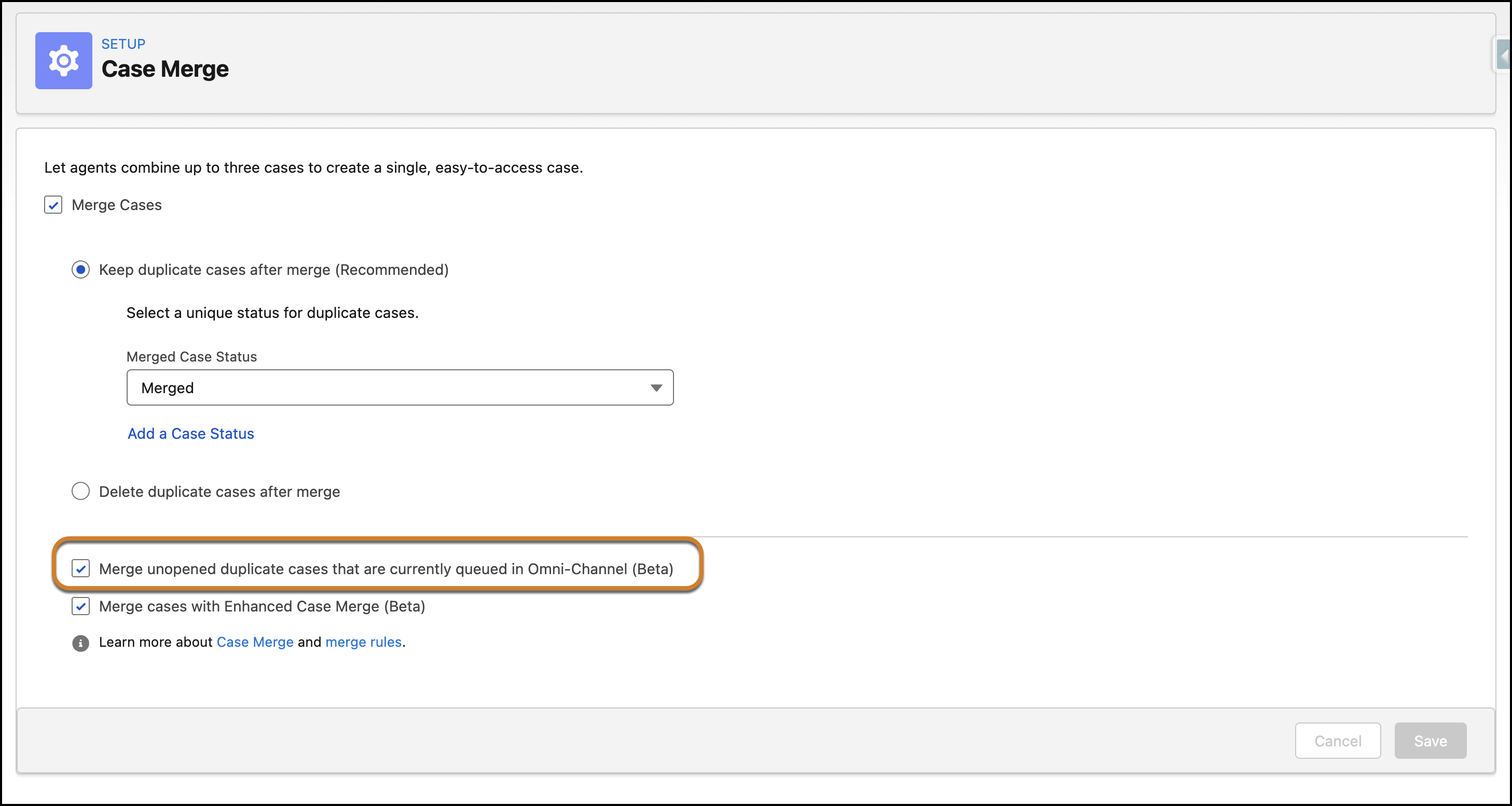
Resolve duplicate cases more efficiently by merging them even while they are active in an Omni-Channel queue. Previously, you couldn’t merge cases that were currently being routed or assigned, requiring manual intervention to move them out of the queue first. Now, you can allow the merging of duplicate cases that haven't been opened by a rep, reducing backlogs without disrupting active work.

Where: This change applies to Lightning Experience in Essentials, Group, Professional, Enterprise, Performance, Unlimited, and Developer editions. This change applies only to Enhanced Omni-Channel.
Why: Earlier, restrictions prevented merging cases that were in a pending routing or assigned state within Omni-Channel. This limitation often forced users to manually change case ownership or close the Omni-Channel widget to complete a merge. By removing this blocker for unopened cases, support teams can immediately clean up duplicate records as they arrive in the Omni-Channel queue.
How: In Setup, search for Case Merge and select Case Merge. In the Case Merge setup page, select the option to Merge unopened duplicate cases that are currently queued in Omni-Channel. This setting allows your users to merge cases that are assigned to a queue or an agent but haven't been accepted yet, while cases already opened and being worked on by a rep remain protected from merging to prevent work interference.