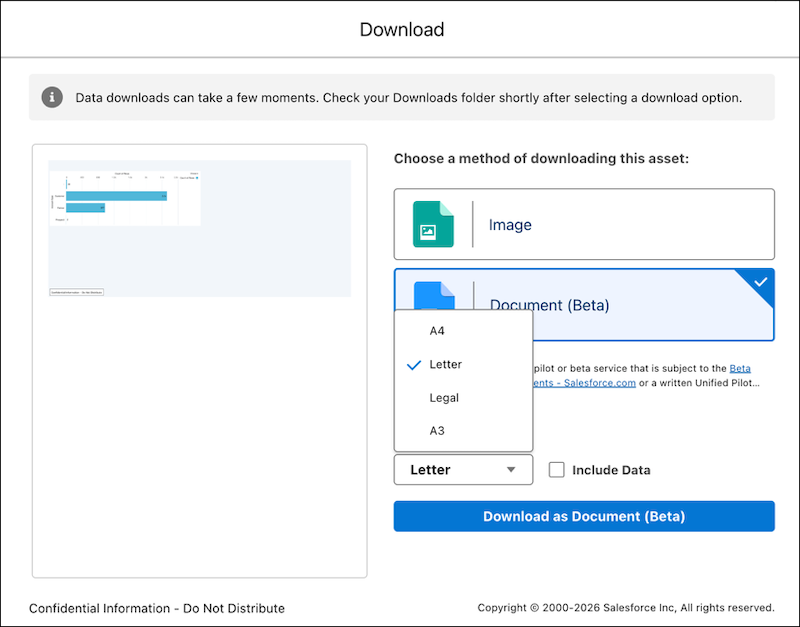
Download and share CRM Analytics as PDFs with custom page sizes and data options. For example, your users can export a dashboard page in A4 format and share it over Slack for weekly reviews.
Where: This change applies to CRM Analytics in Lightning Experience in Developer Edition and Enterprise, Performance, and Unlimited editions.

Who: To download a dashboard image as PDF, you need a CRM Analytics license and Download CRM Analytics Data user permission.
How: From Setup, in the Quick Find box, enter Analytics, and then click Settings. Then, select Enable dashboard saved views, Secure image sharing and downloading, and Opt into Hyperforce Headless Browser Service.
In the CRM Analytics dashboard, click the Download  icon. Select Document (Beta). Select the page size of the
document, and select to include or exclude tabular data. Then, click Download as
Document (Beta).
icon. Select Document (Beta). Select the page size of the
document, and select to include or exclude tabular data. Then, click Download as
Document (Beta).