
Use the CRM Analytics Metadata Bridge to create a semantic layer from your most-used CRM Analytics dashboards. The bridge analyzes your dashboards, creates the relevant objects in Data 360, and generates a valid semantic model from your CRM Analytics data in four steps: selection of source CRM Analytics dashboards, data lake object (DLO) creation, data model object (DMO) mapping, and semantic model generation. Use your semantic model in your Tableau Next workspace to build metrics, visualizations, based on the semantic layer and provide your users with conversational analytics.
Where: This change applies to CRM Analytics in Lightning Experience. CRM Analytics is available for an extra cost in Enterprise, Performance, and Unlimited editions.
When: This functionality is available on a rolling basis starting in July '26. For details about timing and eligibility, contact your Salesforce account executive.
Who: CRM Analytics Metadata Bridge is available to admin users with a Data 360 and a Tableau Next license.
How: From Setup, in the Quick Find box, enter Metadata, then select CRM Analytics Metadata Bridge.
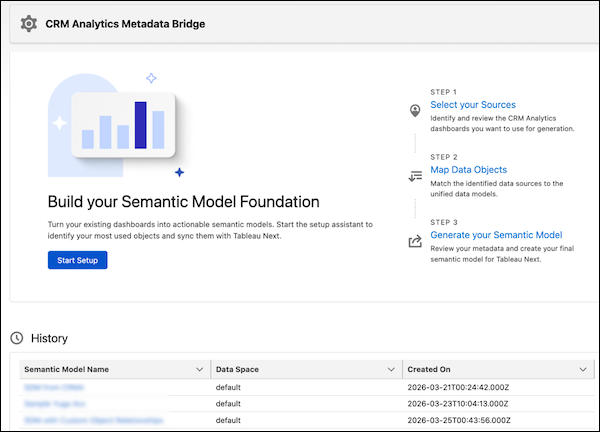
Click Start Setup and walk through the guided flow to select your data sources, create the DLOs and DMOs, and generate a semantic model.