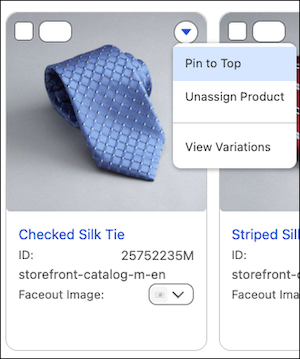
Visual Merchandising is now the central place to complete category-level slicing and see all product variants within a category. Access these common tasks right from the dropdown menu on a product card so you no longer leave the merchandising flow.
Where: This change applies to B2C Commerce.
How: In Merchant Tools, select Visual Merchandising. On the product card, configure the default variant, slicing, and the order of variants shown in the Faceout Image dropdown.
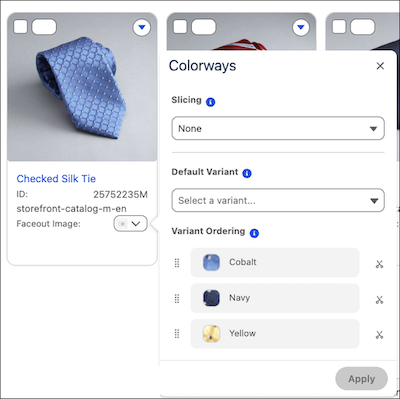
To see all variants for a product, select View Variations from the top dropdown menu.