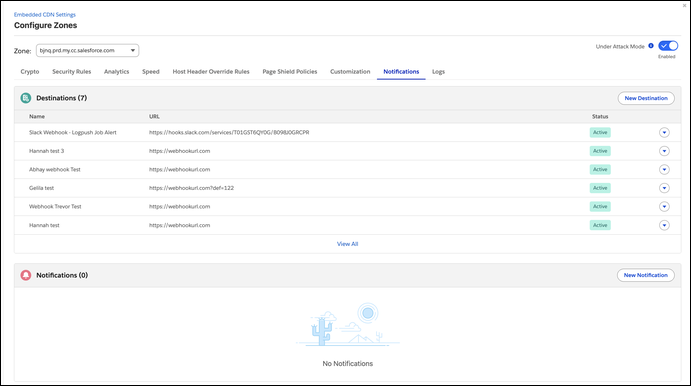
Stay informed about PCI compliance status for your eCDN zone directly from the Configure Zones page. The new Notifications tab surfaces PCI alerts so you can monitor compliance without leaving Business Manager.
Where: This change applies to B2C Commerce.
How: In Business Manager, go to Administration | Sites | Embedded CDN Settings, and then select Configure Zone. Select the Notifications tab to view PCI compliance alerts.