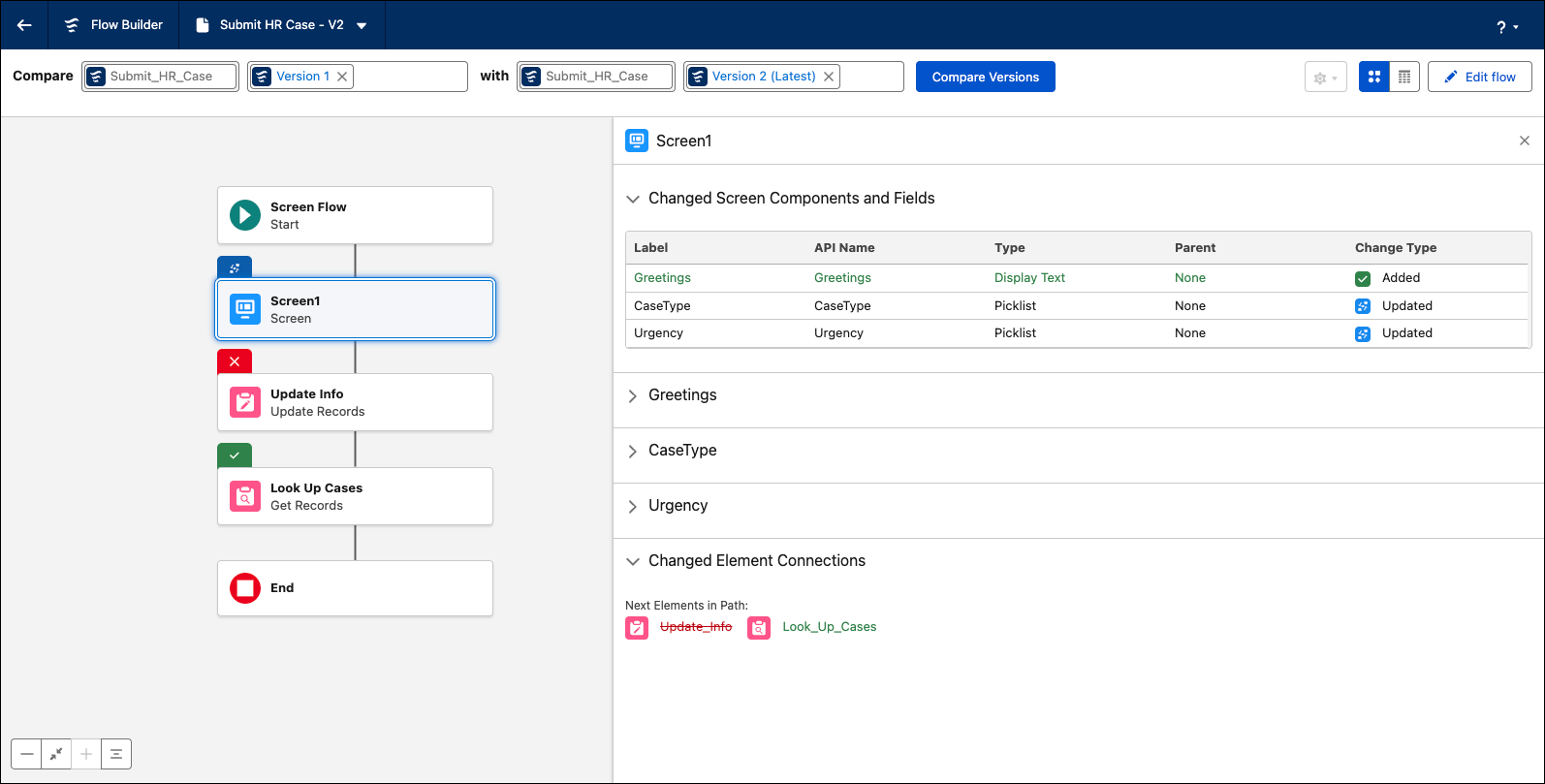
Understand the differences between two flow versions with a detailed visual comparison in Flow Builder. Visually identify added, modified, or missing elements on the canvas without manually comparing complex XML files or abstract tables. Track modifications at a granular level, from element changes to configuration adjustments, to improve readability and reduce the risk of deployment errors.
Where: This change applies to Lightning Experience and Salesforce Classic in Essentials, Professional, Enterprise, Performance, Unlimited, and Developer editions.
How: To compare versions, open a flow. In the version dropdown, select Compare Versions. Switch between table and visual views. Click an element with changes to get more details.