
You can now create and configure Agentforce agents without leaving Flow Builder. Use the new Run Agent element to add AI-powered agents that dynamically handle tasks within your flows. Select from existing agents or create task-specific agents with custom instructions and actions—all from the Flow Builder canvas. Agents created in Flow Builder are automatically discoverable and further configurable in Agentforce Builder. This streamlined experience makes it easier to build intelligent automation without switching between multiple tools.
Where: This change applies to Lightning Experience. It’s available in Enterprise, Performance, Unlimited, and Developer editions with the Agentforce for Sales, Agentforce for Service, or Agentforce Platform add-on. To purchase the Agentforce for Sales, Agentforce for Service, or Agentforce Platform add-on, contact your Salesforce account executive.
When: This feature is available on a rolling basis starting on June 1, 2026.
Who: To use existing agents in your flows, you need the View Setup user permission. To create agents from Flow Builder, you need the Customize Application, Einstein Copilot Builder, Einstein Agent Platform Builder, or Self-Service Copilot Builder user permission. Users with the System Administrator profile can both create and use agents.
How: From the Flow Builder canvas, add the Run Agent element. To use an existing, active agent, search for and select an agent from the list.
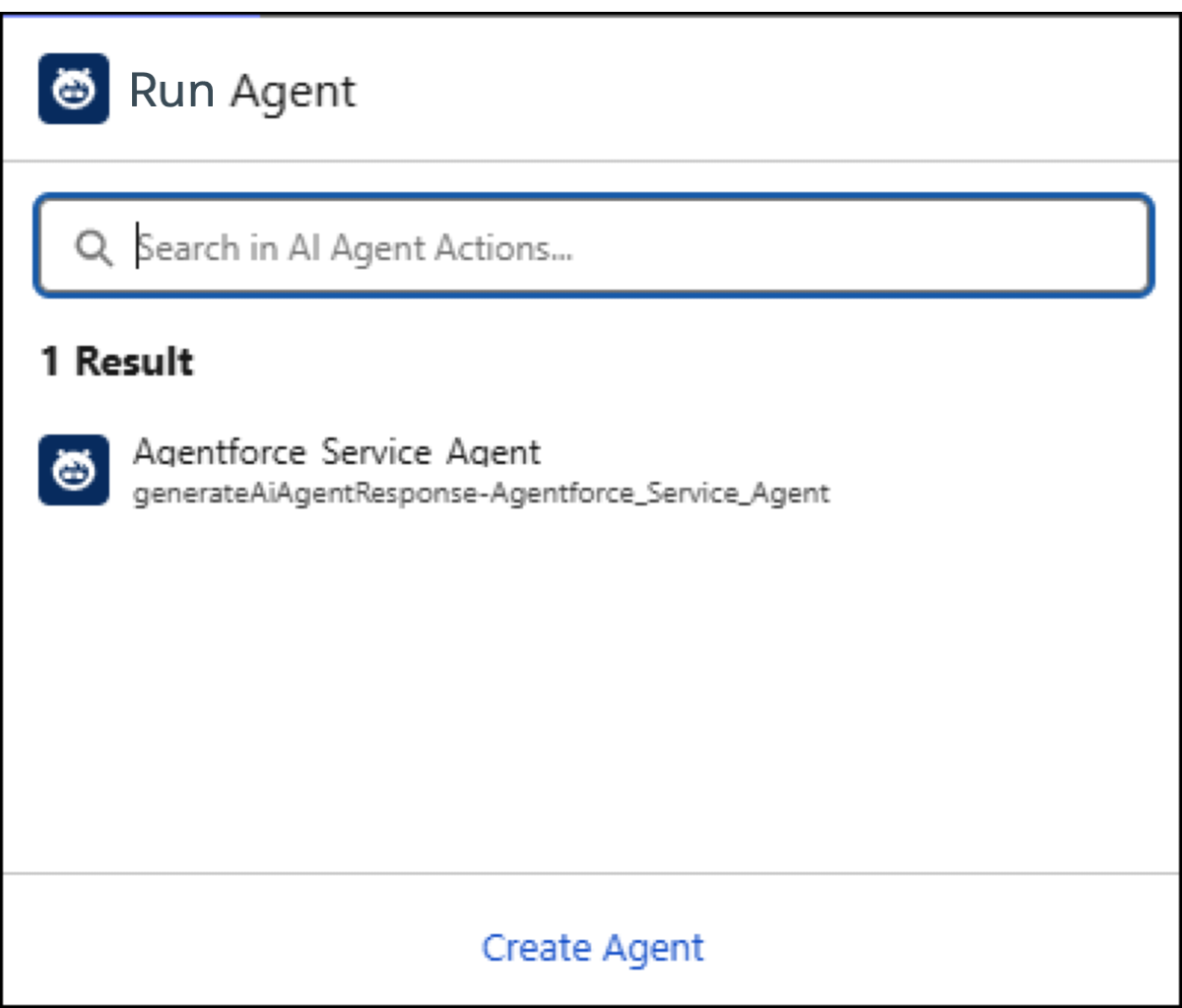
To create an agent, click Create Agent. In the New Agent window, define the agent’s label, API name, description, and user access. Then add topic instructions to describe what the agent does and add actions that the agent can use. Instructions are pre-populated with best-practice text. You can keep this default or customize it.
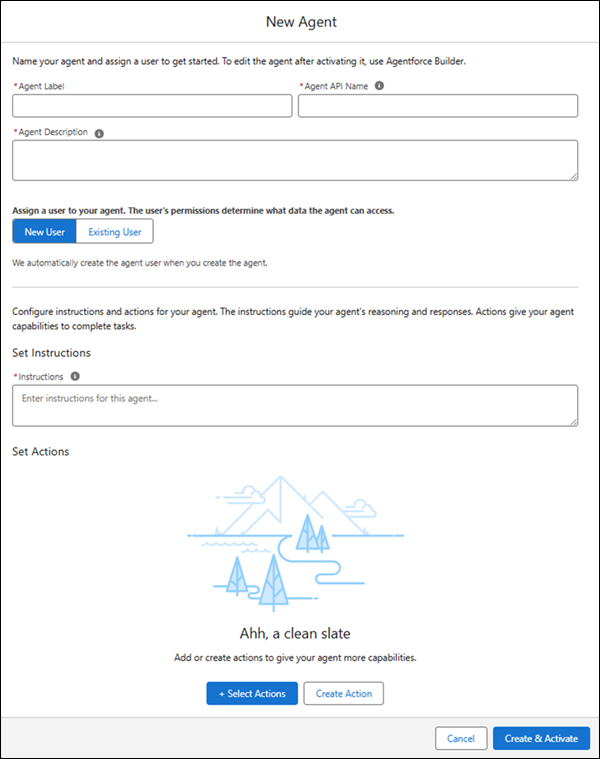
When you’ve entered the agent information, click Create & Activate. In the Run Agent property panel, configure the agent's response, including structured outputs, to connect it with your flow's variables and logic.
Before activating your flow, test it in Flow Builder. If the agent doesn't behave as expected, test and update the agent in Agentforce Builder.