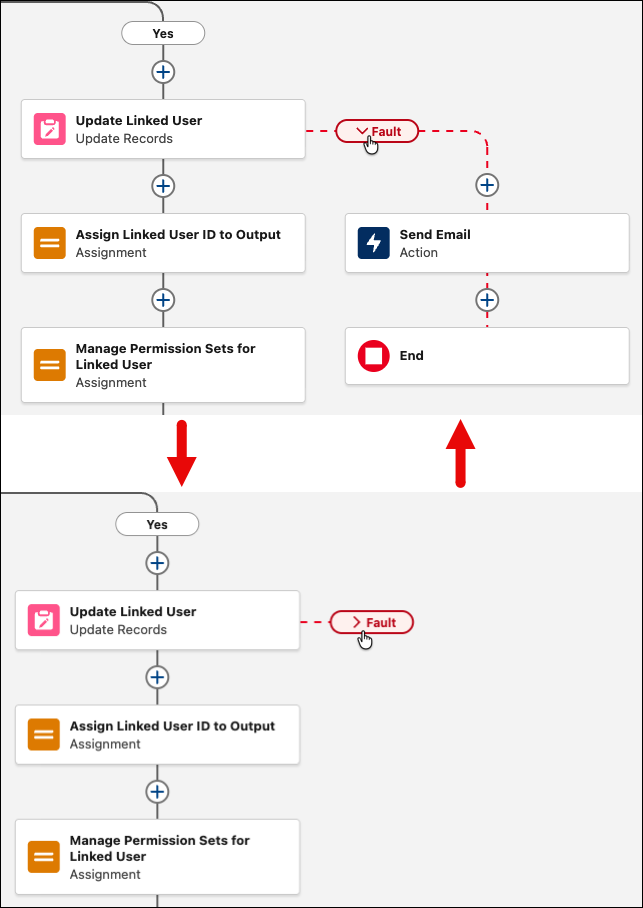
Simplify your flow and focus on the working path by hiding fault paths. Expand the fault paths only when you’re ready to edit or review them. Your browser shows your personal layout state, so your canvas view is unique to you.
Where: This change applies to Lightning Experience and Salesforce Classic in Essentials, Professional, Enterprise, Performance, Unlimited, and Developer editions.
How: In the Auto-layout view in Flow Builder, click the fault path to switch between the expanded and collapsed views.