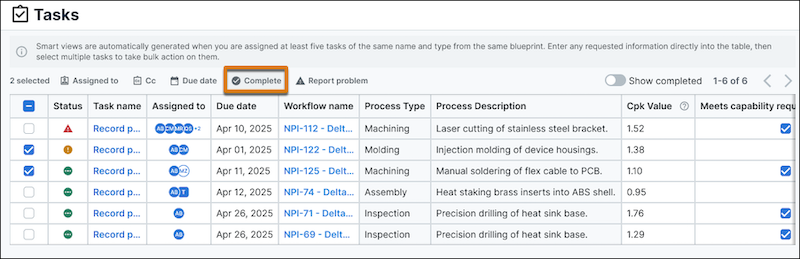
Complete multiple tasks at once when you have 5 or more that share the same name, type, and blueprint. When you have a set of 5 or more tasks, Agentforce Operations creates a dedicated view. You can enter task information in that view and complete several tasks in one place, instead of opening and completing each task one at a time.
Where: This feature applies to an Agentforce Operations workspace that's external to Salesforce for an additional cost. To purchase an Agentforce Operations license, contact your Salesforce account executive.
How: Go to the Tasks page. Open the view whose name matches the group of 5 or more tasks. Enter any requested information directly in the view table. Select the tasks to complete. For standard tasks, click Complete or Report a problem. For approval tasks, click Approve or Reject.