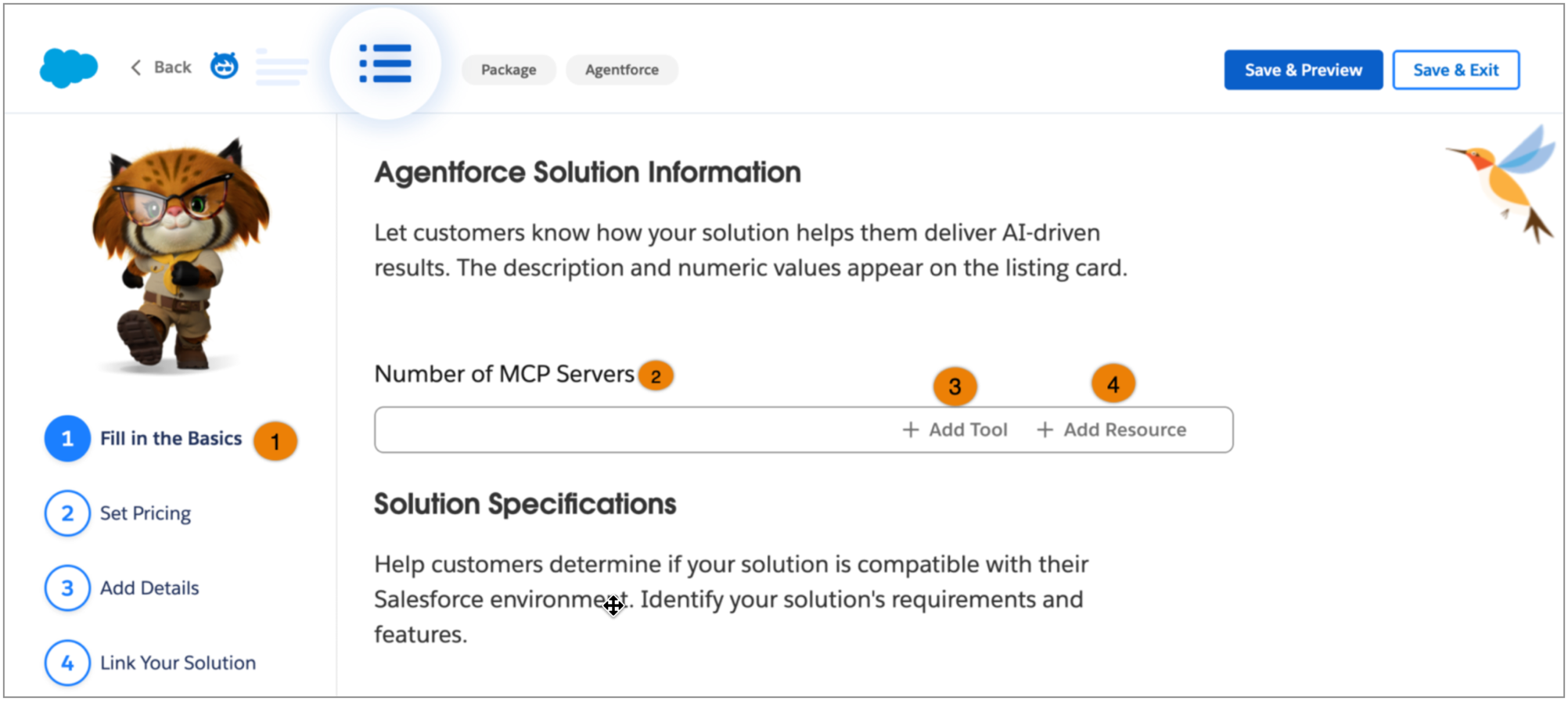
Help customers understand your Agentforce solutions by detailing your preconfigured Model Context Protocol (MCP) servers on AgentExchange. You can specify the number of MCP servers in your solution and add details about the tools and resources they contain. These details help customers understand what your MCP servers offer and how they enable Agentforce agents to interact with internal and external tools and resources.
Who: This change impacts Salesforce ISV partners with Agentforce partner applications.
Why: Customers and Agentforce admins use AgentExchange to discover, filter, and install prebuilt MCP servers that address their specific business needs. Highlighting your MCP servers, along with their specific tools and resources, helps customers and admins understand the capabilities, support, and integration options your solution offers before they install it.
How: On the partner console, navigate to the Fill in the Basics page (1) for your Agentforce solution listing. Specify the number of MCP servers (2) included in your package to show the available tools and resources. For each MCP server, click + Add Tool (3) and + Add Resource (4) to enter the names and brief descriptions of the tools and resources.
When your listing is published, the listing card on AgentExchange indicates to customers that your solution contains MCP servers alongside other Agentforce assets such as agents, subagents, and actions.