
For new Salesforce orgs only, turning on Agentforce automatically turns on agent observability features by default. Data collection starts for Agentforce Session Tracing, Audit and Feedback, and related features. The observability user experience is available in Agent Analytics and Agentforce Studio.

Where: This change applies to Lightning Experience in Enterprise, Performance, Unlimited, and Developer Editions with Foundations or Agentforce 1 Editions. Setup for AI agents is available on the desktop site.
When: This feature is available on a rolling basis starting the week of August 3, 2026.
How: When Agentforce is turned on in a new org, agent observability features are automatically turned on. From Setup, in the Quick Find box, enter Audit, and then select Einstein Audit, Analytics, and Monitoring Setup.
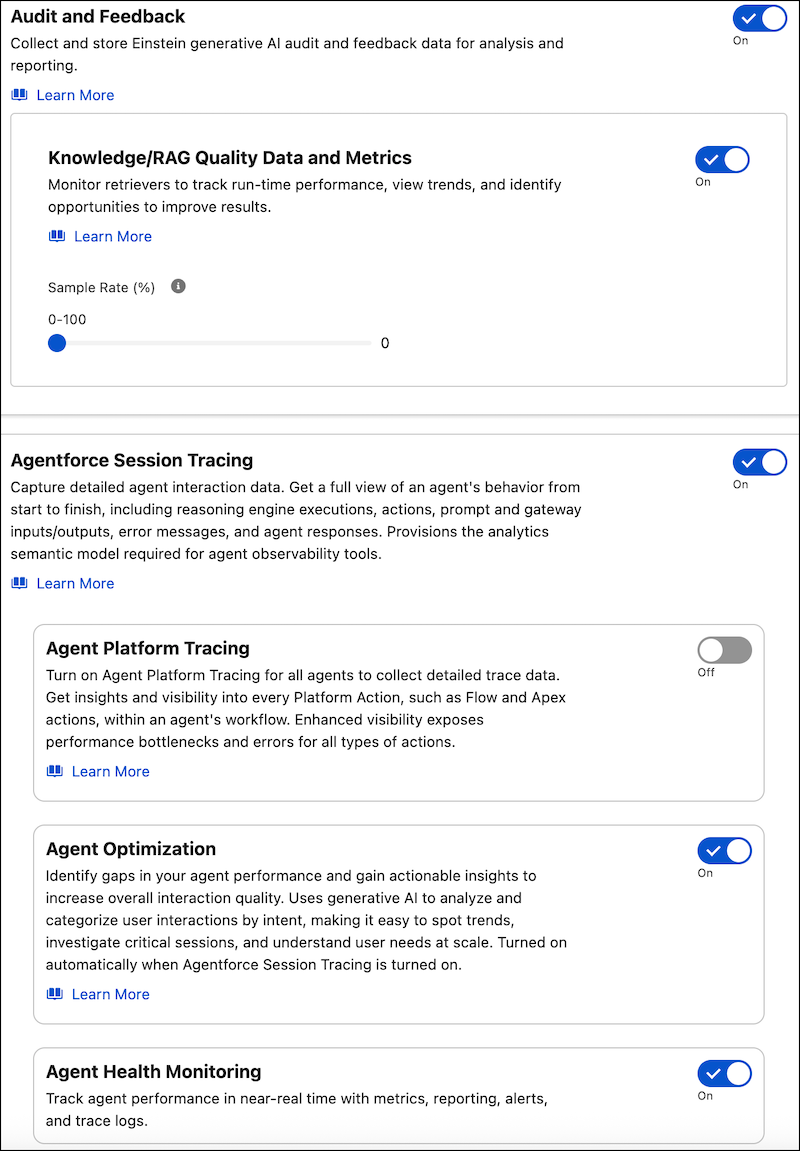
For all other orgs, you can turn on any of these features manually in Einstein Audit, Analytics, and Monitoring Setup.