
MCP server providers own their servers and can change server and tool settings at any time. Server-side changes make your current registration settings out of sync, which can adversely affect agents that rely on those MCP server tools. Agentforce now monitors and identifies these discrepancies. It flags a registered MCP server or tool as Out of Sync, and notifies an admin to take corrective action.
Where: This change applies to Lightning Experience in Enterprise, Performance, Unlimited, and Developer Editions with Foundations or Agentforce 1 Editions.
When: This change is available on a rolling basis starting the week of July 17, 2026.
How: Server-level issues arise when the MCP server can’t be found, authentication fails, or the server returns an error. Tool-level issues arise when the tool’s input or output schema changed, its description changed, or it’s no longer available.
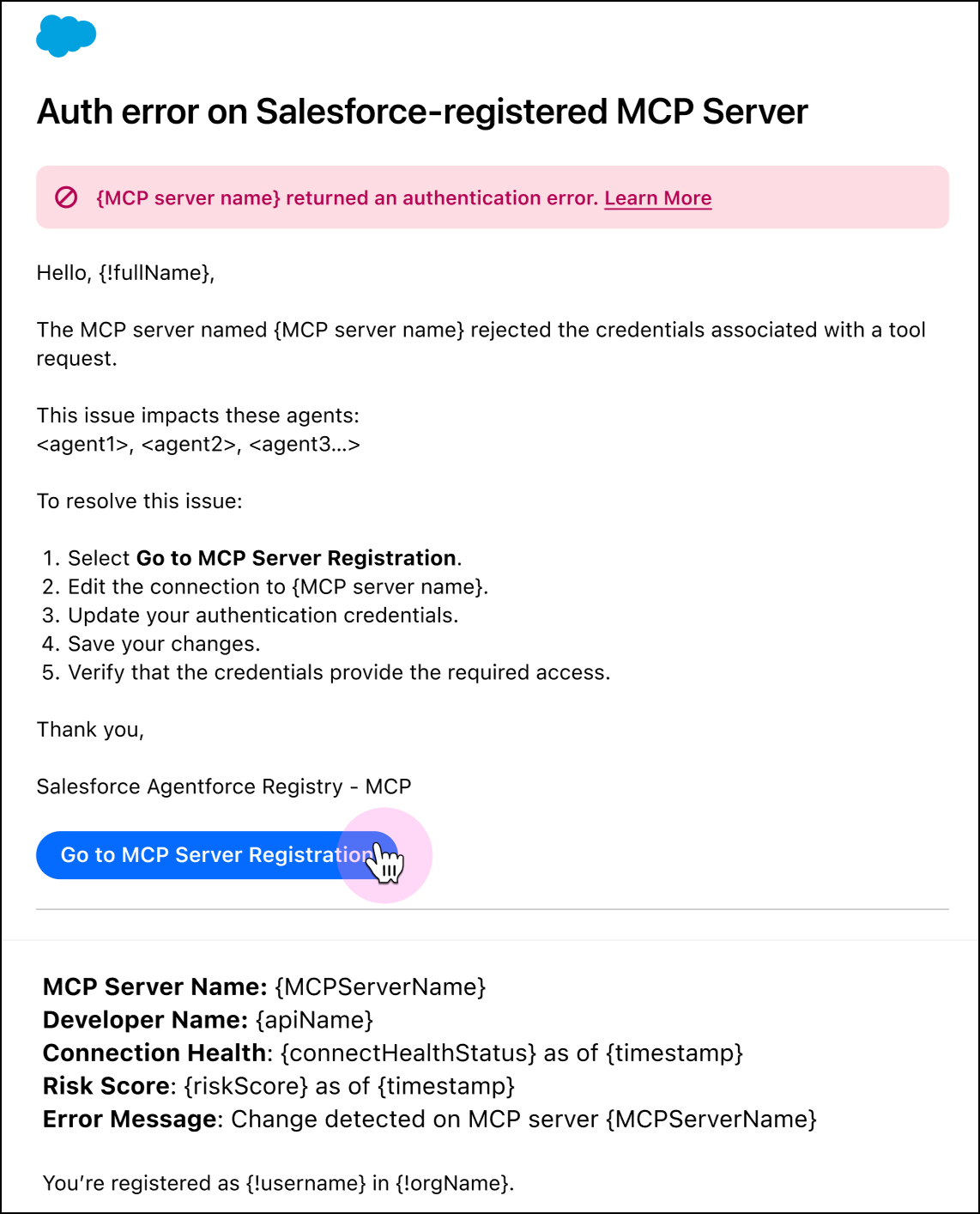
If detected, Agentforce sends an email message that identifies the issue, lists affected agents, and suggests steps to resolve the discrepancy.
In Agentforce Registry, the Out of Sync status under Connection Health indicates a configuration mismatch.
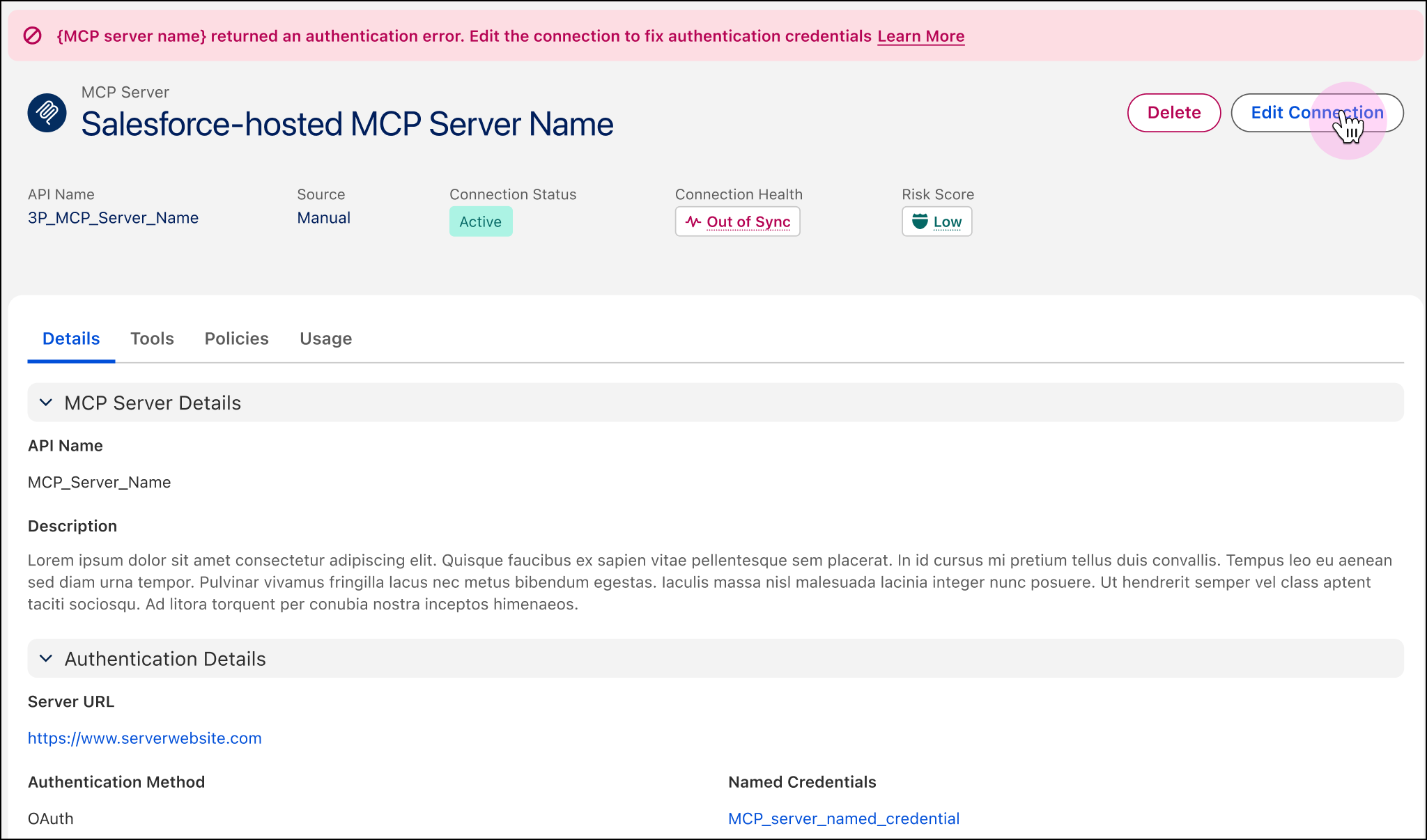
Synchronize the registry with MCP server and tool settings as appropriate. You can't delete an MCP server or remove an allowlisted tool while an agent still references it. Agentforce Registry lists the dependent agents so you can update those agents first.