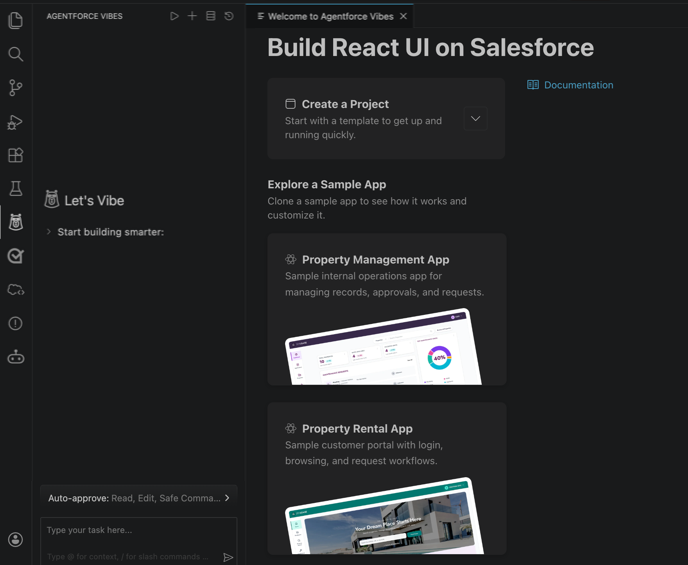
Build, load, and deploy React apps on the Agentforce 360 Platform using Salesforce Multi-Framework. Vibe code enterprise-grade apps using natural language prompts while Agentforce Vibes handles scaffolding, metadata, and more in real time.
Where: This feature is available in Lightning Experience in sandbox and scratch orgs where English is the default language.

The Non-GA Services are used in conjunction with GA Services which consume paid credits or entitlements ("entitlements"). Any corresponding consumption of entitlements arising from Customer's use of the Non-GA Services shall not give rise to any refund or credit rights.
When: This beta feature is available starting April 15, 2026.
Why: Use Agentforce Vibes with Salesforce Multi-Framework to:
- Jump-start React app development with ready-to-use templates and sample apps.
- Include Salesforce org data and Salesforce CMS content in the app.
- Add features including search, authentication, and the Agentforce Conversation Client.
- Preview your app as you build using React Live Preview.
- Deploy your app and access it from the App Launcher on desktop or mobile.
How: Enable Salesforce Multi-Framework in your sandbox or scratch org. From Setup, in the Quick Find box, enter Salesforce Multi-Framework, and select React Development with Salesforce Multi-Framework (Beta). Then click Enable Beta. After you enable the beta, you can’t disable it.
Access templates and sample apps for React from the new Agentforce Vibes welcome screen, or enter your own prompts in the chat.