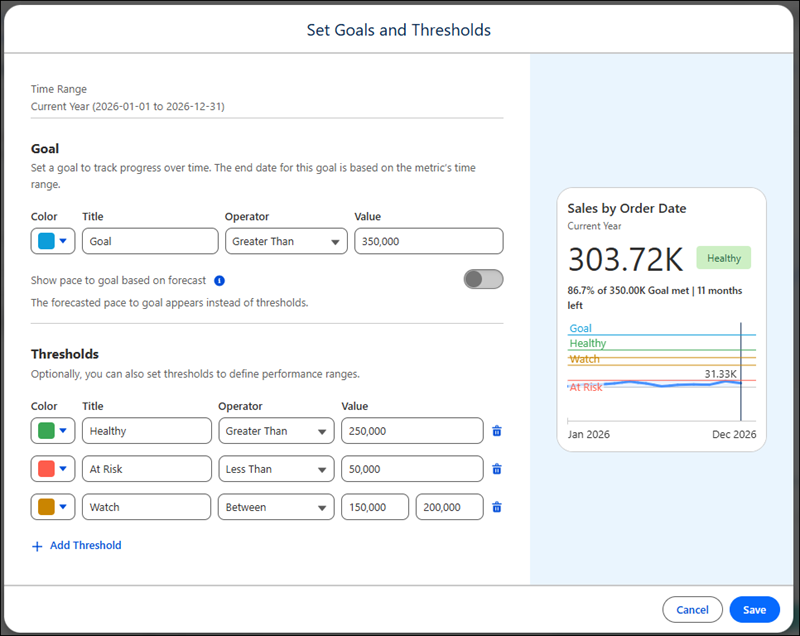
Create thresholds to give meaning to ranges of values for your metric. For example, create thresholds with custom labels such as "healthy," "at risk," and "critical," and assign colors to those ranges. When other users see that metric, they understand the context around the metric’s value. And you can use thresholds with goals, or you can use thresholds independently from goals.
Where: This change applies to Tableau Next in Enterprise, Performance, and Unlimited editions.
How: From a metric’s page, select Set Goal. Then add up to four thresholds. Or analysts can add a goal or thresholds when creating a metric.