
Optimize your table layout in Tableau Next by manually resizing columns. Expand columns with more content to reduce horizontal scrolling. Or narrow columns to eliminate excess whitespace and improve readability. For example, widen columns that contain product descriptions so you can scan details more easily.
Where: This change applies to Tableau Next in Enterprise, Performance, and Unlimited editions.
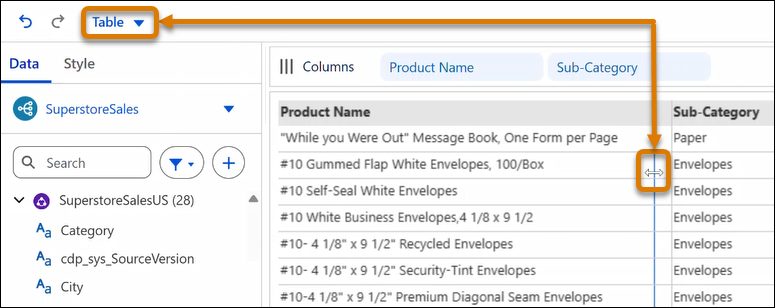
How: To resize a column, in Table view, hover over a column border until the resize cursor appears. Drag the column border to adjust column width.
To add the hierarchy to a visualization or table, in the Visualization Builder, drag it onto Rows or Columns.