
Tableau Next Marketplace metric templates are pre-configured KPIs for sales, service, or Customer 360 data. They install the semantic models and calculated fields necessary to support the metrics, providing you with instant insights. For example, with the Service Insights metrics template, which installs the Service Insights semantic model, you get metrics with KPIs for average wait time, average time to close, cost to serve, and so on.
Where: This change applies to Tableau Next in Enterprise, Performance, and Unlimited editions.

How:
- In Tableau Next, click Administration, and then click Settings.
- On the General page, enable Metric Templates in Tableau Next Marketplace (Beta).
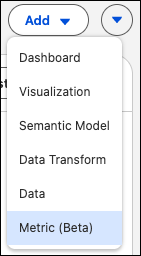
- From your Tableau Next workspace, click Add and select Metrics (Beta)
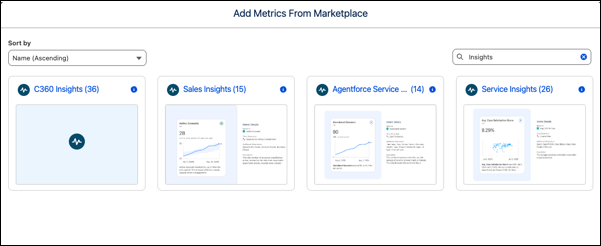
- Select the metrics template that you want to use and walk through the flow to create your
metrics.
To support the templated semantic models and metrics, most metrics templates require the prior installation of the associated data kit and data bundles. These installations are prerequisites for providing the necessary data objects.